Rest & time off
Coming back
"Actually, I want to work", the welcome-back greeting, and filing a stretch you never declared.
Rest should be easy to leave as well as easy to take. Three things happen around the end of a break: changing your mind on the day itself, ending a leave early, and telling Yappie about time away you never got around to declaring.
Actually, I want to work
Every rest surface carries the same button. It is under Yappie on the Focus tab, it is the only timer entry left in the tray menu, and it replaces the focus controls on the popped-out companion.
Pressing it clears today's rest state at once. The tabs, the timer, the stats badge and the log drawer come back, and you can work exactly as on any other day.
It is an account-wide choice, not a per-device one. It syncs, so the machine in the other room agrees with you, and the Resting pill beside your name in your study groups clears everywhere. It works for a booked leave as well as a standing weekly day off.
What it does not do is cancel the leave you declared. A leave still protects the days it covers, so a day you meant to work and then did not cannot cost you a streak. A standing weekly day off is different: choosing to work turns it into an ordinary work day, and it needs the same focus any work day needs.
Changed your mind again? Open Log a break or activity on the Focus tab, pick the Time off tab, and Mark today as time off. That files today as a one-off leave, undoes the choice you made earlier, and sticks across your devices.
The choice only ever applies to today. It lapses on its own at the day rollover, so tomorrow's rest day arrives untouched.
I'm back
To end a leave early, open Time off, find it on the Irregular tab with its Resting chip, and press I'm back.
The leave ends yesterday, not today, which is the point: today opens up for work rather than leaving you sitting on the rest screen. If the leave had only started today, it is removed instead. If today also happens to be one of your standing weekly days off, it still reads as a day off, because that is your rhythm rather than this leave.
Ending a leave brings your recurring tasks back and creates any that are due today, so you are not met with an empty Today.
Yappie's welcome back
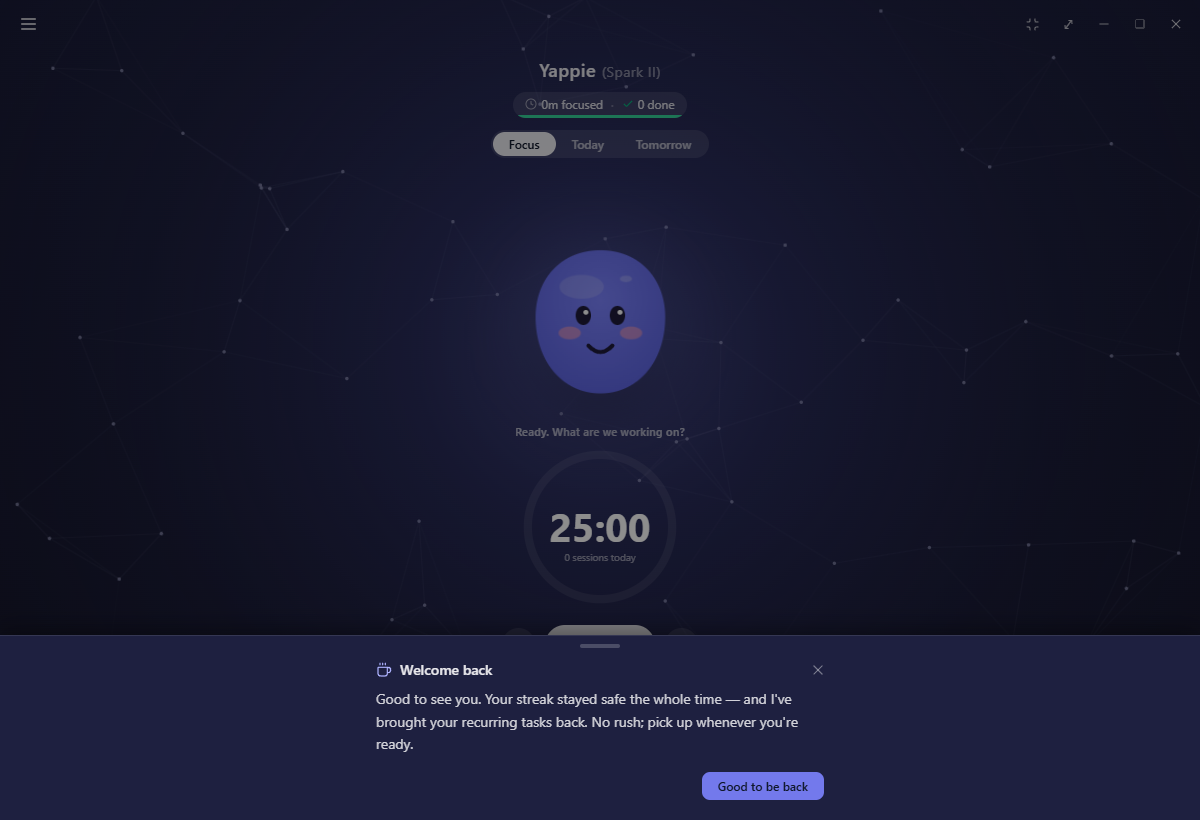
The first time you open the app after a leave has ended, Yappie raises a short note in the bottom drawer: your streak stayed safe the whole time, your recurring tasks are back, and there is no rush. It waits if a focus session is running, and it shows once for a given leave.
The daily A look back recap steps aside for it. Being handed a productivity summary of the days you were deliberately away is not a welcome.
Filing time away you never declared
Life does not always give you the chance to say you are going. If you come back after about three days with nothing recorded, Yappie offers to file that stretch as time off. It appears in the bottom drawer, names the range, and gives you Mark as time off and No thanks. Saying yes covers the whole run in one leave and bridges your streak across it.
The offer reads your calendar before it asks:
- Days at the edges of the gap that were already your usual days off are trimmed, because they were never undeclared.
- Days off in the middle are kept and named in the copy, so the whole stretch stays one leave rather than three fragments.
- Days already inside a leave you filed are left alone.
- If the whole gap was your normal rest, Yappie does not ask at all. A weekend off is not an absence, and you do not owe anyone an explanation for it.
This one needs you to be signed in, since it works from the last focus your account recorded on any device. Yappie asks once about a given stretch, and never stacks the question on top of another prompt.
Neither prompt is a nag, and neither is a scolding. Yappie has no opinion about how long you were gone.
Filing a stretch after the fact is non-destructive: any day inside it that you actually worked keeps its record, and the time off wraps around it.
Related
- Taking time off covers the Regular, Irregular and Calendar tabs.
- What a rest day looks like is what you are stepping out of.
- Streaks & streak freezes explains what stayed safe while you were away.
Last updated October 21, 2026