Friends & groups
Study groups
Small circles that focus together, in Chill or Hardcore.
Study groups are small circles that focus together: a shared room, a shared goal, and gentle accountability among people working toward their own things side by side.
Study groups need a free, signed-in account and sync through the cloud across Desktop, Mobile and Web. They are free on every plan.
Finding or making one
Study groups opens on two list tabs, My groups and Public groups, with Create a group and Join with a code beside them. Public groups are searchable, sortable and paged; private ones you reach with a code somebody gives you.
- Private groups are invite-only, not discoverable, and hold up to 50 members today. The cap is set on the server and has been raised once already, so treat the number as current rather than permanent.
- Public groups are discoverable by region and hold more.
You can own a handful of groups and belong to several more. Yappie tells you plainly when you have reached either limit.
Turning a private group public permanently clears its self-reported focus and the achievements that came from it, because public groups count only verified in-group focus. The confirmation shows you exactly how many hours across how many members you are about to lose. It cannot be undone.
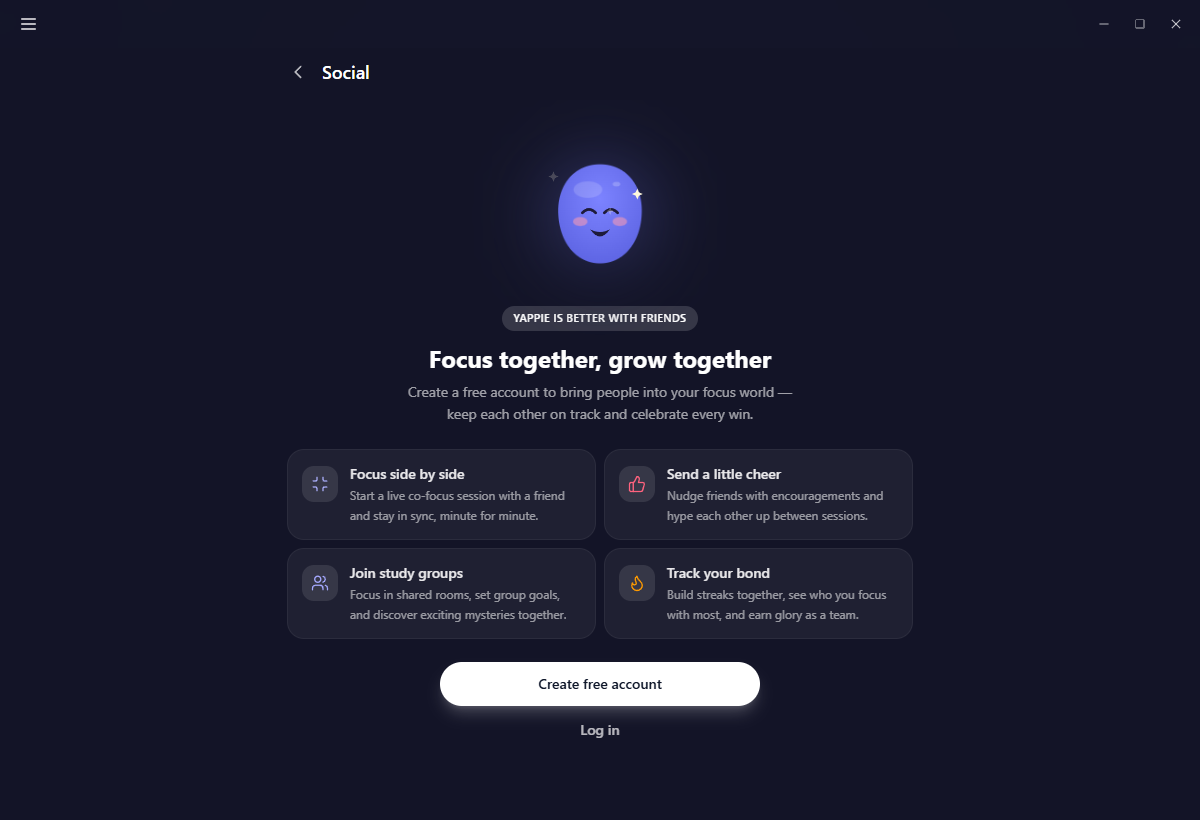
Chill or Hardcore
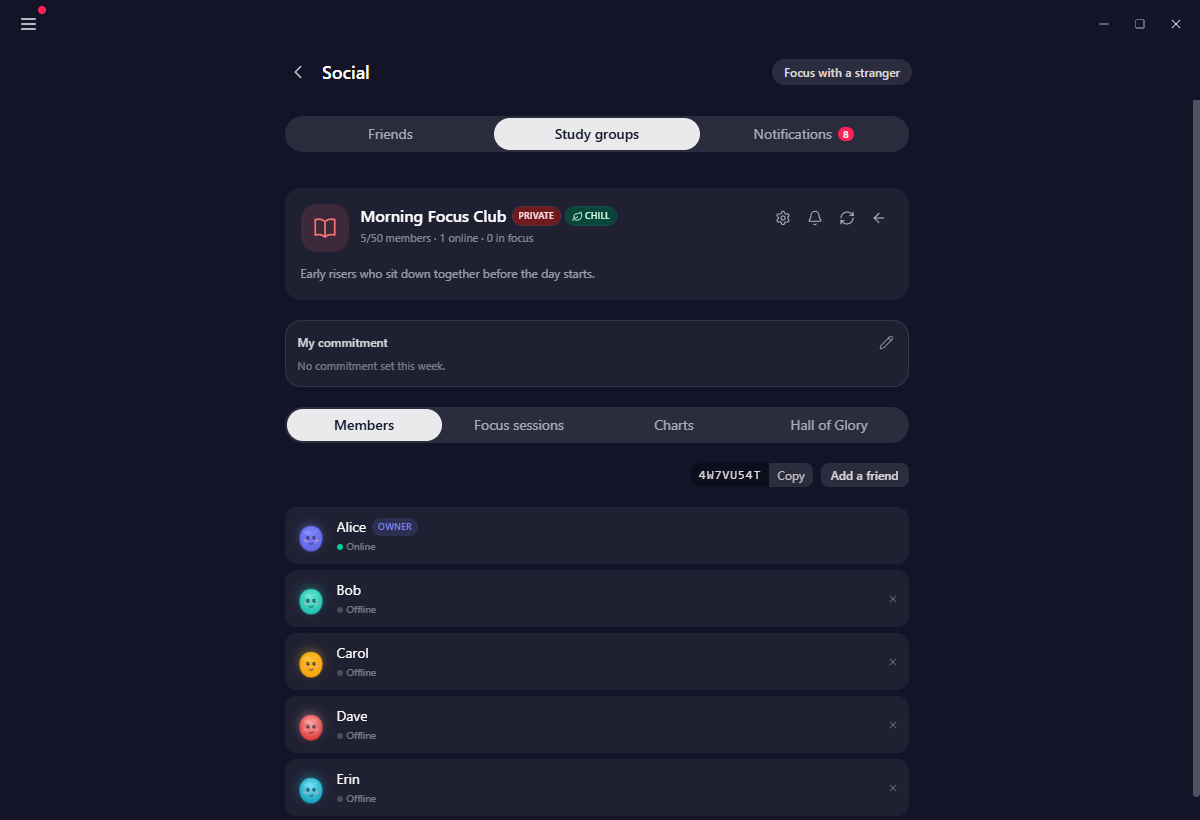
Every group is one or the other, shown as a badge on its card and in its header.
- Chill is the default. No leaderboard, no ranks, no per-member numbers, no all-time contributions and no all-hands streak. Everyone focuses together and nothing is ranked.
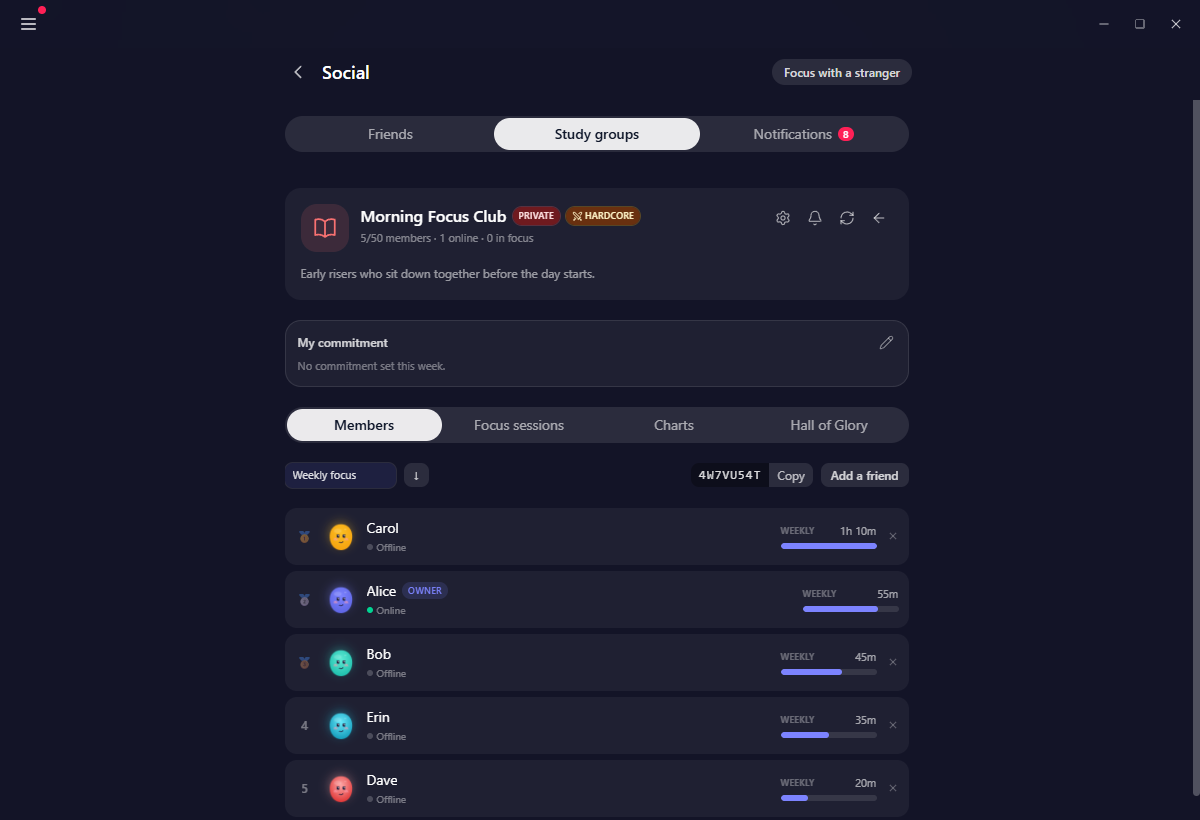
- Hardcore shows all of it.
Only the owner can switch, in Settings → General. Going from Chill to Hardcore asks first, because every member is notified when it happens so they can decide whether they still want to be there. Switching back to Chill is always allowed.
Most groups are Chill, so most of the time a group is a room full of people working, not a scoreboard.
Inside a group
The header carries the group's icon, its member count, its private or public tag and its mode badge. Under it sit the shared goals and your own commitment card, then four tabs:
- Members with everyone's state, and in a Hardcore group the leaderboard, sortable by daily, weekly, monthly, all-time or average daily focus.
- Focus sessions, the live rooms you join to focus alongside other members. See the study room.
- Charts: a focus calendar, focus over time, when members focus, all-time contributions, and the group's streaks.
- Hall of Glory, the group's badges. They are scaled per member count, so a group of four and a group of forty compete fairly.
Group goals
Group goals are daily, weekly or monthly focus targets the whole group fills together, with your own slice marked out on the bar.
The owner sets them, and only early in each period: the daily and weekly goals in the first 24 hours of the week, the monthly goal in the first 72 hours of the month. After that they lock until the next period comes round, so nobody's target moves once everyone is working toward it. A group created mid-period can set its first goals any time until that period ends.
A goal you do not change carries forward. Last week's target stands this week unless somebody sets a new one. And when members are on time off, the target scales down to the people who are actually around rather than leaving a hole nobody can fill.
Your weekly commitment
A commitment is a private pledge to yourself: weekly hours, and optionally a daily figure, with progress bars for both. You set one per week and change it next week, not this one.
You choose whether the rest of the group sees it. Weekly reminders can arrive in the app, by email, both, or neither.
What counts toward the group's total
Only focus you spent live in one of the group's rooms counts toward the group's totals, its goals, its leaderboard and its charts. Focus you did alone is yours and stays on your own pages.
That is why a group's number means something. It is also why, in a public group, a member's own profile figures may include time they reported themselves. Yappie says so where it matters.
Self-report focus
Private groups can switch on self-report focus, an honour-system way to count work that happened away from the app.
What you can give is the personal focus you have earned today: your own solo focus, plus the planned minutes of tasks you ticked off. Group and one-to-one shared focus is excluded, so nothing is counted twice. The bank is cleared at the end of your day, with a few hours' grace past midnight so a session that crossed midnight can still be reported.
Whatever you do not give expires. Yappie sends a reminder before it does.
Time off inside a group
A member who has declared time off shows a calm Resting pill, sits outside the leaderboard, and cannot be removed while they rest.
If the owner is away for more than a week, their successor becomes acting owner and can run the goals and the settings, but not delete the group. The owner nominates one in Settings; left on Auto, it falls to the member who joined earliest. A scheduled rest day, or a leave of a week or less, hands the group to nobody at all.
Owner settings
The owner's settings dialog has four tabs: Cosmetics, Goals, General and Danger. Between them they cover the group's icon and colour, its description, whether members may invite people and share the code, whether members may start their own focus sessions, a fresh join code, its region, its visibility, its mode, self-report focus, and the successor.
The weekly summary
Each Monday the group gets a weekly summary. Opening it gives you the full report: the group's total, your contribution, whether you were among the top few, a per-day chart of the group's focus against its goal, the group's goals, your commitment, and the badges earned that week.
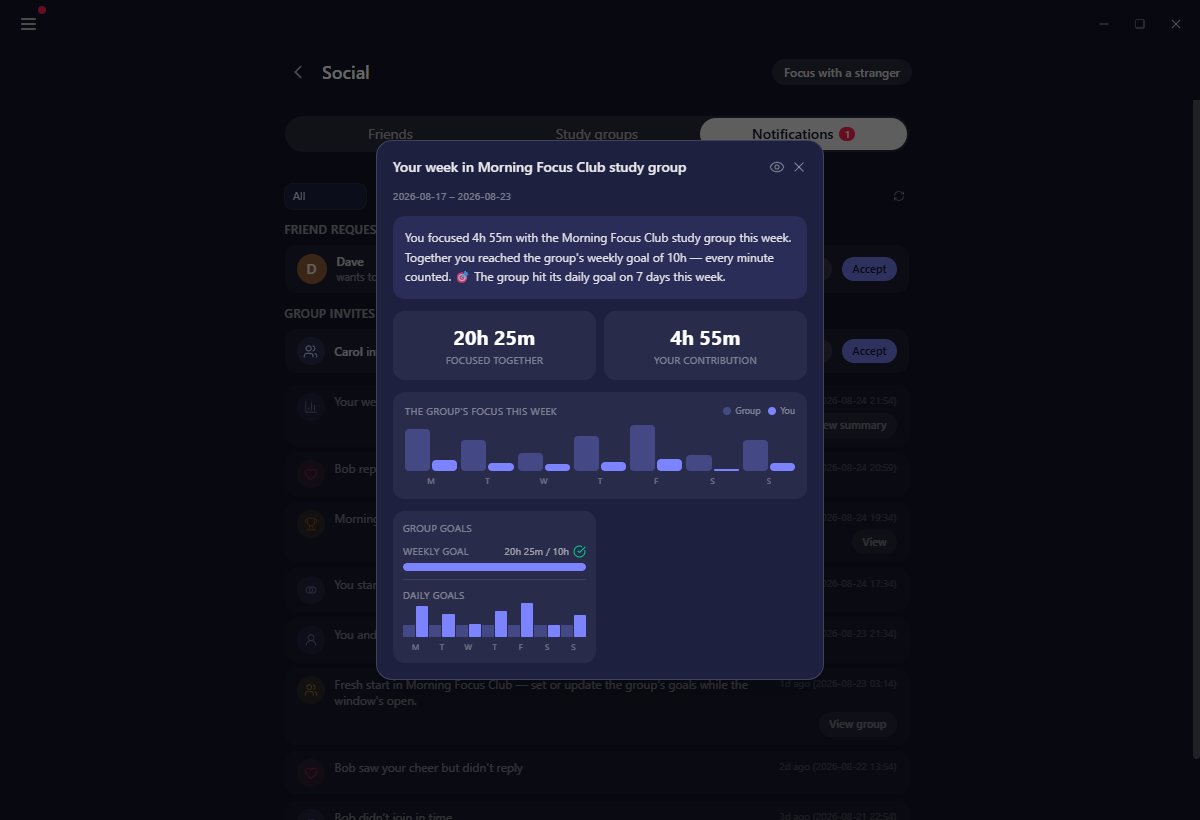
Notification preferences are per group, in app and by email, and cover the weekly commitment reminder, the weekly summary and group achievements.
Related
- The study room is what a group focus session actually looks like.
- Notifications carries invites, reminders and summaries.
- Taking time off explains the Resting pill from the other side.
Last updated October 21, 2026