Focus & tasks
History
A calm, read-only record of the days behind you, and now a way to search it.
History is Yappie's memory of the days behind you. It is a record, not a scoreboard, so the unfinished rows are nothing to worry about.
How it fills up
At the end of each day, everything on your Today list moves here on its own, whether it was done, half done, or never touched. Days when nothing happened are not listed at all, so a gap means a quiet day rather than a bug.
Each day is its own group with a small summary above it: how many tasks there were, how many were done, partial or undone, and two minute totals.
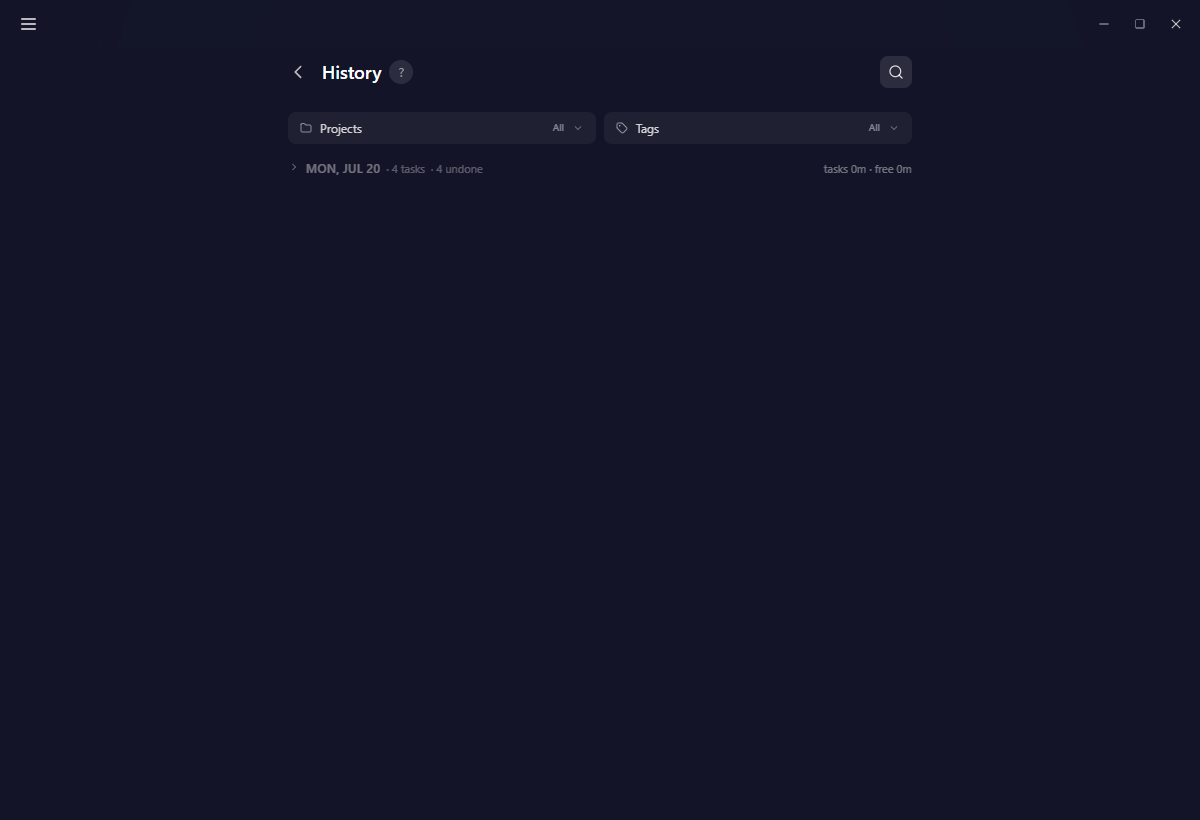
The cards themselves are the same cards you use on Today, so a step count, a project badge, a priority and the tag line all read the way you are used to.
About those minutes
The minute numbers on a row are planned lengths, not stopwatch time. They show how long a task was set to take.
The one genuinely measured figure is the free minutes on a day's summary: timer focus that was never tied to a task.
What you can still change
The past is frozen. The only two things editable on an old row are its project and its tags, and those edits sync to your other devices. Everything else stays exactly as that day left it.
There is one narrow exception, and it is deliberate: during the Unsorted focus window shortly after a day rolls over, sorting yesterday's leftover minutes onto one of yesterday's rows also marks that row done.
Bringing work forward
History is not only for looking:
- The + drops a fresh copy of a task into Today. On a rest day it locks, with a tooltip.
- The repeat icon saves the task as a recurring task, starting tomorrow.
Finding a day
The magnifier at the top right opens a find panel with two halves that work together.
A date range. Pick a from and a to on Yappie's own themed calendar. Every day in the recorded span is selectable, and dots mark the days that actually hold something.
A text search. Type a word and Yappie searches it across task titles and step titles both, so you can find a day by something you did inside a task rather than by what you called it. Days that match unfold themselves so the hit is visible.
A counter reads N of M while a search is on, and one press clears everything back.
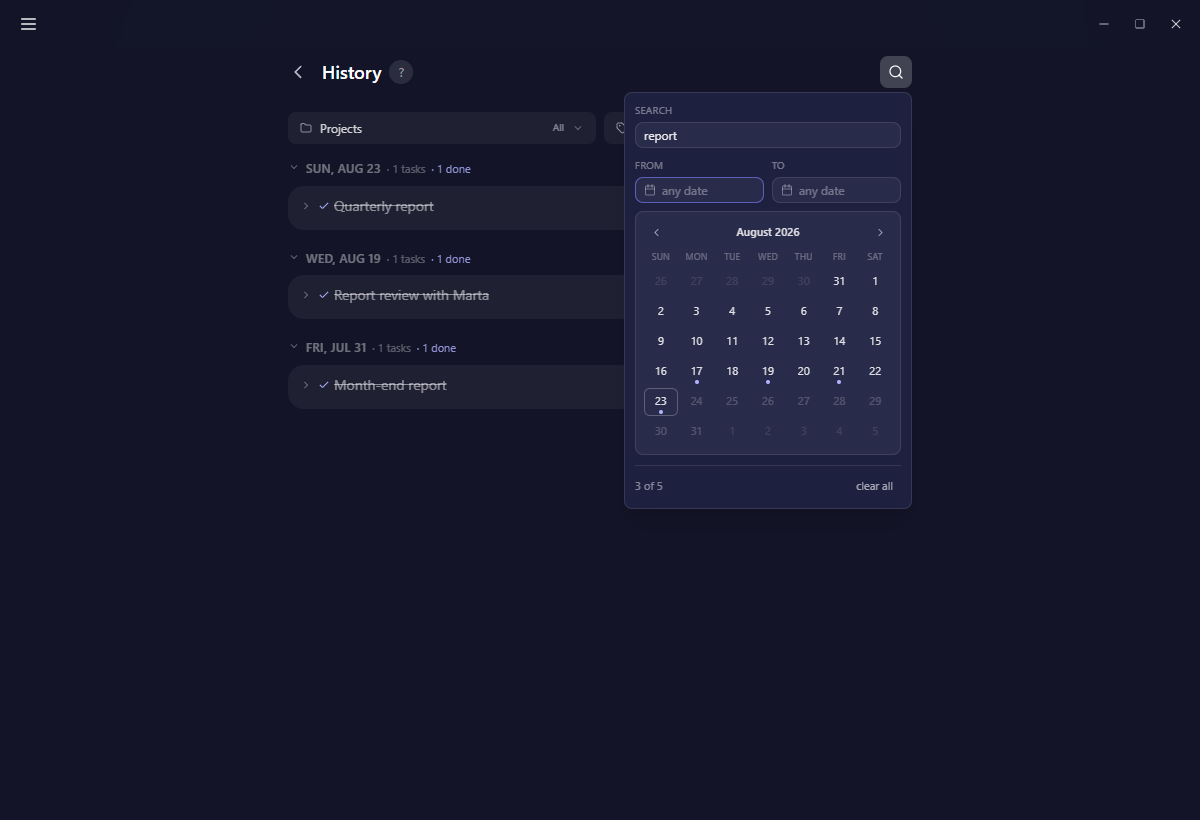
The same panel appears inside each project's and each tag's History tab, so you can trace one thread of work across months.
Filtering
Alongside find, you can filter by project and tag. The tag filter carries a Non-tagged row, on by default, so untagged work does not quietly disappear while you are looking at a tag.
Tasks whose project or tag was later deleted still show up here. History does not hide rows because a label went away.
Deleting
There is no per-entry delete, on purpose. The record is meant to stay whole. Clearing it happens only with a full device wipe in Settings → Advanced.
On mobile
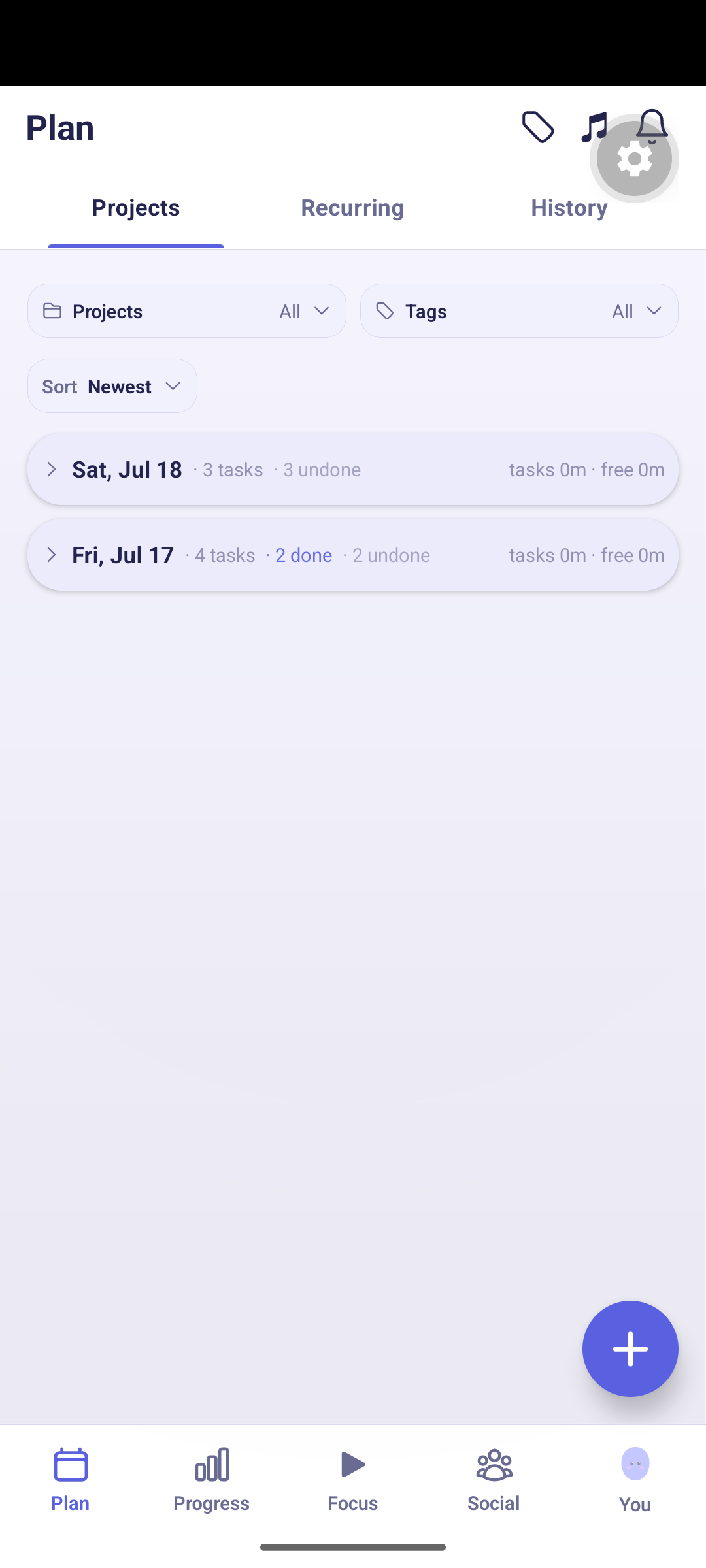
Mobile keeps History as one of the three tabs under Plan, beside Projects and Recurring.
Related
Last updated 21 oktober 2026