Make it yours
Soundscapes
Calm tracks, a player that follows you around, and offline listening.
Soundscapes are calm tracks to focus to. Start one and it follows you around the app in a player bar along the bottom of the window, so moving between pages never interrupts the sound.
Open Soundscapes
Reach it from Soundscapes in the menu (Desktop) or the You tab (Mobile). On the web, the same menu entry opens Yappie's free generator page instead, which carries the endless noise and binaural tracks without the rest of the catalogue.
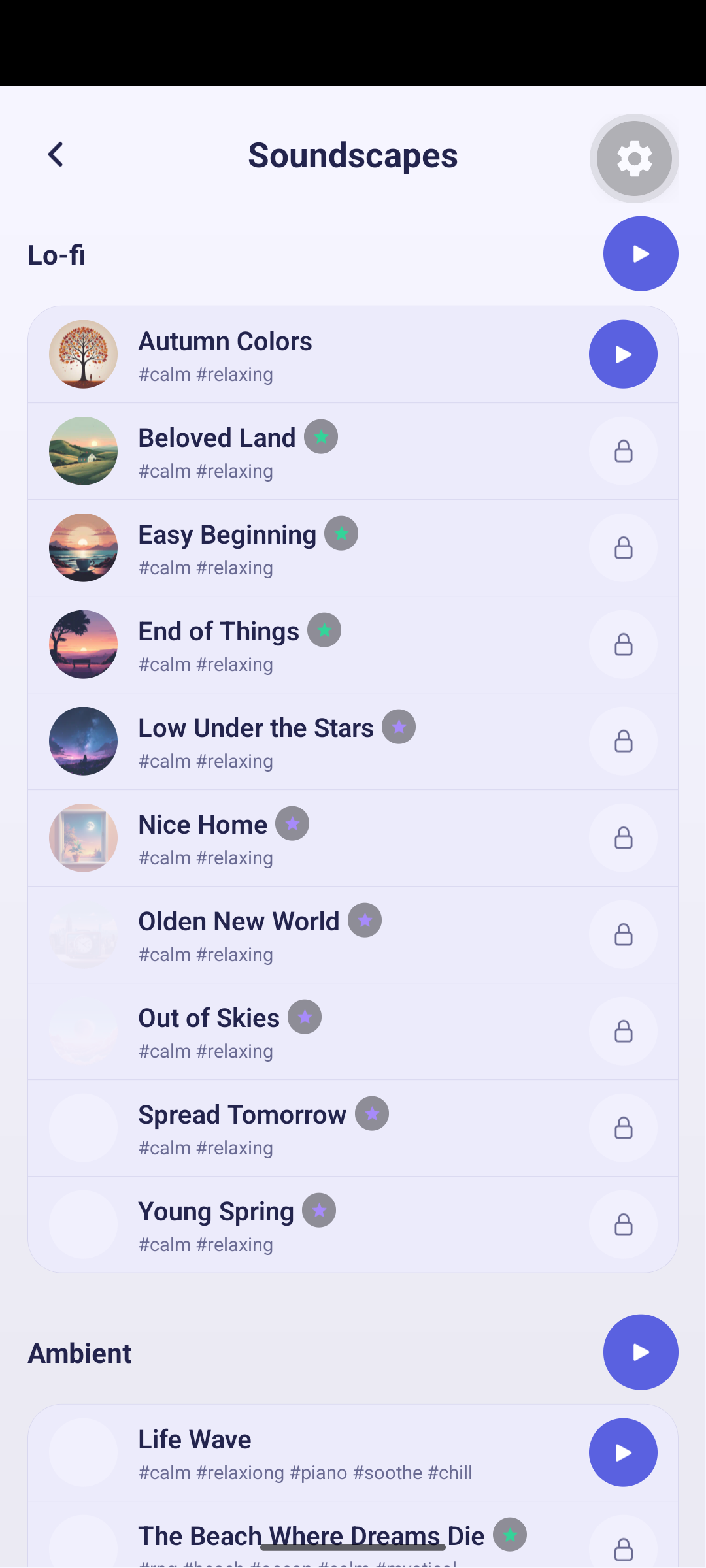
Free tracks play for everyone, including signed-out guests. The rest come with Lite or Super, and each one carries a small coloured star for the plan it belongs to. A locked row's play button turns into a padlock that takes you to the upgrade page.
Finding a track
Tracks are grouped into categories you can fold shut with the arrow beside the title. Which ones you have collapsed is remembered on that device, so the page reopens the way you left it.
Each category has its own play button, which plays only within that group. A row shows its icon, title, tags and length.
Tap the heart on any track to save it. The heart in the page header filters the list, and the up-next queue with it, down to what you have saved. Favourites work signed out too: they are kept on the device, and a brand-new account adopts them when you sign up.
The player
The bar at the bottom carries the usual controls, kept plain:
- Play / pause, previous / next, and a seek bar.
- Loop, through the list or on a single track.
- Shuffle, and volume with mute.
- Match the background to the soundscape, which switches the scene behind your pet with each track.
- A pin.
The pin decides whether the player stays put or tucks itself away when you move the mouse up the page, which is what you want when a full-screen background is the point. It only appears when the player actually owns the bottom of the window. A running focus session's banner, or the queue bar while you wait for a stranger, takes that row instead.
Turning the background match on switches the scene straight away and turns off "use the theme backdrop", since the two cannot both be driving the background. Turning it off again leaves whatever is showing rather than snapping back.
Endless tracks
Some tracks are generative: pink noise, binaural tones, synthesised on your device rather than streamed. They never end, they work with no connection at all, and their progress bar drifts along instead of sitting frozen at a length that does not exist.
Listening offline
Tracks are cached on the device as you play them, keyed to that track's own audio version. If a track is ever re-recorded, your copy re-downloads instead of quietly playing the old bytes.
A track you have not downloaded yet says so, and asks you to connect to the internet to play it. Play it once with a connection and it is yours offline afterwards.
Signing out stops whatever is playing.
A track plays offline only after you have played it online at least once. That is the whole rule, and it is worth queuing up a couple of favourites before a flight.
Around the app
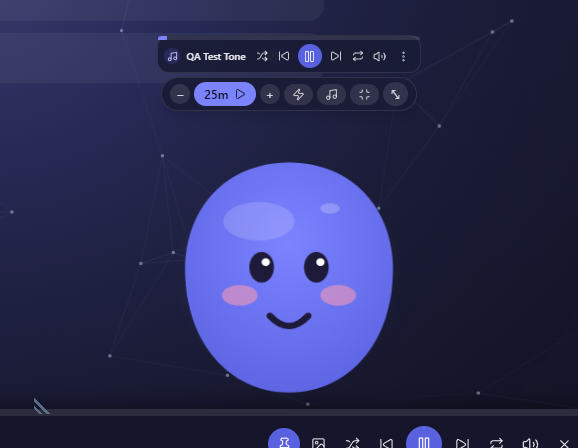
Desktop: the popped-out companion reserves a slim band above the pet for playback. While a track is playing it shows compact controls; when nothing is playing it offers a quick picker of up to ten tracks. The band is always reserved, so opening it never resizes the window or makes the pet jump.
Mobile: regular tracks play everywhere, including in the background with an OS media notification. The endless generative tracks are listed but not playable on mobile yet, because there is no on-device synth.
Next: Backgrounds for the scene the soundtrack can drive, and Plans for what each plan includes.
Last updated October 21, 2026