Getting started
What is Yappie?
A calm focus companion: a little pet that grows as you focus, rest and show up.
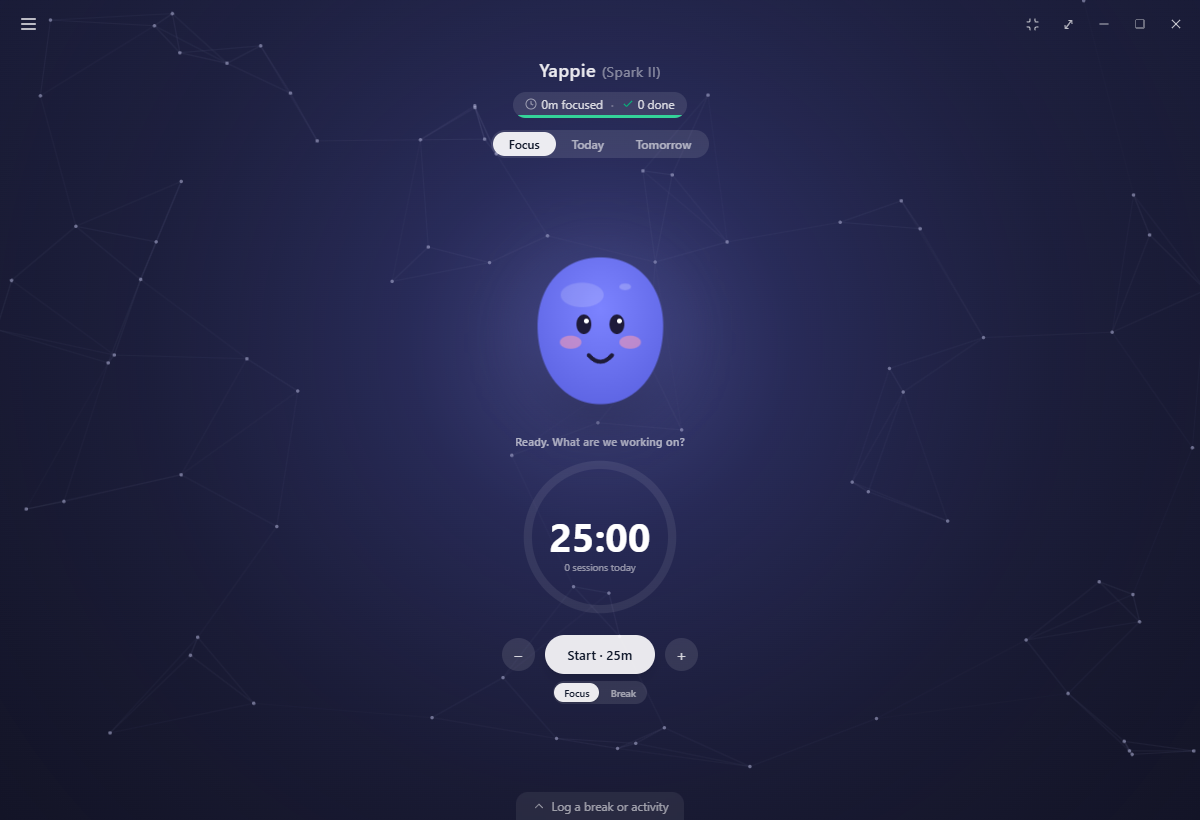
Yappie is a calm focus companion. At its heart is a friendly animated blob who stands beside your timer and grows a little every time you focus, rest, and show up for yourself. This page explains what Yappie is and the feeling it's built around.
Meet your pet
Yappie the pet lives next to a circular countdown timer. When you start a focus session, a ring fills as your time passes, and Yappie's face reacts to where you are in your day.
- While you focus, the pet settles into a focused expression alongside the ring.
- On a break it eases into a restful one.
- When its energy runs low the colour drains out of it, its eyes go sleepy and a few Zzz drift up. That's the tell that you've been at it a while.
- On a day you've declared off it wears a relaxed, contented face, and the timer steps out of the way entirely.
You don't have to manage any of this. Your pet keeps you company and mirrors the rhythm of your work.
It plays back
Yappie isn't a picture. Click it and it squishes. Tap quickly a few times and it gets the giggles. Press and hold to poke a dent in it, or grab a cheek and drag to stretch it like jelly.
Left alone on the Focus tab with nothing running, it will now and then dig through its things, hold up one of its keepsakes, pull a face to suit and type a line about it. One of those keepsakes is the one it gave you the day you met.
A tired Yappie still wobbles when you poke it, but it won't smile or blush back. That's on purpose. It's how the pet asks for a break. Playing with Yappie has the whole set, including the optional setting that lets its eyes follow your cursor.
Calm by default
Everything in Yappie is designed to feel quiet. There are no harsh alarms, no guilt, and nothing loud or stressful. Growth happens softly in the background while you get on with what matters. Nothing starts itself either: after a focus session Yappie offers you a break, and waits.
Yappie is meant to be sustainable. A little focus, most days, beats a heroic burst followed by burnout.
Rest is part of it
You can tell Yappie you're taking a day off, either as a standing weekly rhythm or a one-off stretch of leave. On a day you've declared off, the app steps back: the timer and tabs go away, your recurring tasks pause, nudges fall silent, and your streak stays safe. Rest also feeds your pet's growth in its own right, the same way focus does.
Private by design
Yappie is local-first. You can open it and start using it right away as a guest, and everything you do alone stays on your machine.
- Your data stays on your device unless you sign in and turn on cloud sync.
- What other people can see about you is a grid in Settings → Social: ten things, three audiences, and a switch for every cell. Friends and people in your private study groups start out seeing most of it; people in your public groups start out seeing almost none.
- AI features are optional and stay off until you choose to enable them.
- Gentle wellbeing reminders are all off by default, so you decide what, if anything, nudges you.
What's inside
The timer and your Today and Tomorrow lists are the core. Around them sit recurring tasks, projects, tags and a searchable History; Growth and the Journey roadmap; My sky, a hidden constellation you reveal by doing varied things; the Hall of Glory badge wall; Time off; friends, cheers, study groups and live study rooms; and soundscapes, backgrounds and themes to sit in. An AI companion is there if you want it.
All of the productive side of Yappie is free, for everybody. Paid plans add more soundscapes, more backgrounds, a deeper sky, a premium pet body with its wardrobe, and a larger AI allowance.
Where Yappie lives
- Desktop: a downloadable app for Windows and macOS. It's the fullest version, and the one this guide is written against.
- Browser: sign in on the Yappie site and the same app runs in a tab.
- Phone: the iOS and Android apps are on the way.
Sign in and turn on cloud sync, and your pet and your progress follow you between them.
What comes next
The rest of this section builds on these ideas. See The big ideas for the mental model behind sessions, trust and growth, Get Yappie for installing and signing in, Meeting Yappie for the first run, Finding your way around for the layout of the app, and A day with Yappie for all of it in motion.
Last updated 21 अक्टूबर 2026