Growth & rewards
Your Journey
The eleven astronomy tiers, the piece of sky each level adds, and how to wear a tier as your background.
The Journey is the whole climb laid out end to end: eleven titles, every level inside them, and the exact piece of sky each level adds behind Yappie. It is part roadmap, part picture book of where you have been.
Opening it
The Journey has no menu entry of its own. You reach it from wherever the subject came up:
- the title in brackets beside your pet's name, such as (Star VIII)
- the Journey button on the Growth page
- a locked Journey sky on the Backgrounds page, which jumps straight to the title that unlocks it
- See it in your Journey on a level-up card
The back chevron returns you to whichever of those you came from, and so does right-clicking to go back.
The eleven titles
Spark, Glimmer, Star, Nova, Asterism, Cluster, Nebula, Galaxy, Supernova, Cosmos, Eternal.
Each title spans ten levels, except Eternal, which starts at level 101 and keeps going. Inside a title your position shows as a Roman numeral, so level 28 reads as Star VIII.
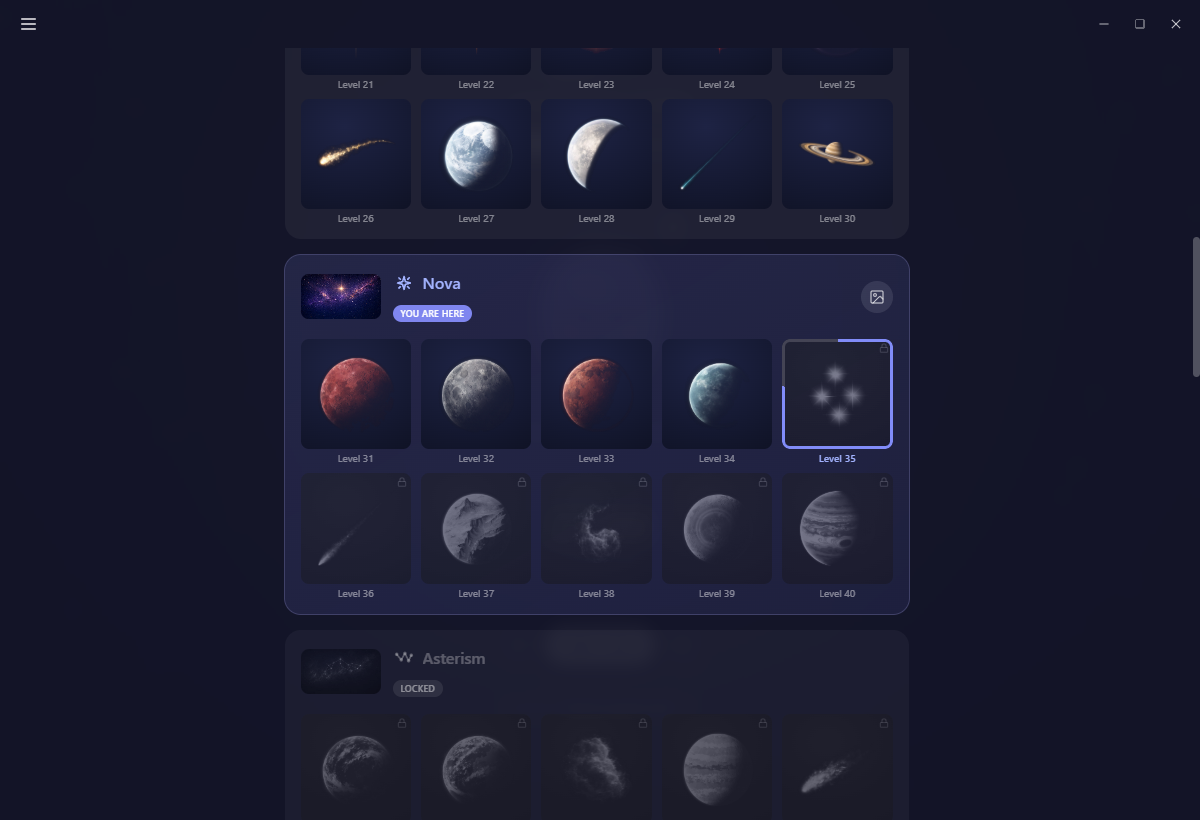
Every title is one section on the page. Titles you have passed are marked Complete, the one you are in is highlighted You are here, and the rest are a dimmed roadmap marked Locked. A locked title still shows a small blurred teaser of its sky rather than an empty box.
What each level unlocks
Inside a title section sit its ten levels, each with the piece of sky it adds: a star, a moon, a planet, a ringed giant, a comet, a nebula, a galaxy, an aurora, a satellite. They are not flat stickers. Once they are part of your sky they move, twinkling, orbiting, drifting, streaking and resetting.
The tile for your next level wears a ring that fills clockwise as you earn XP toward it.
Unlocks run out at level 110, the end of the eleventh title's ten levels. Everything after that is levels for their own sake.
Wearing a title as your background
Any title you have reached carries a small button that makes that title's sky your background. Press it again to go back to your theme's own backdrop.
Journey skies are free. They are gated by level, not by plan, so a locked one never sends you to an upgrade page, only to the title that opens it. Paid scenes live on the Backgrounds page and are a separate thing entirely.
Levelling up never changes your background on its own. Whatever you chose stays chosen until you change it yourself, here or on the Backgrounds page.
Turning individual pieces off
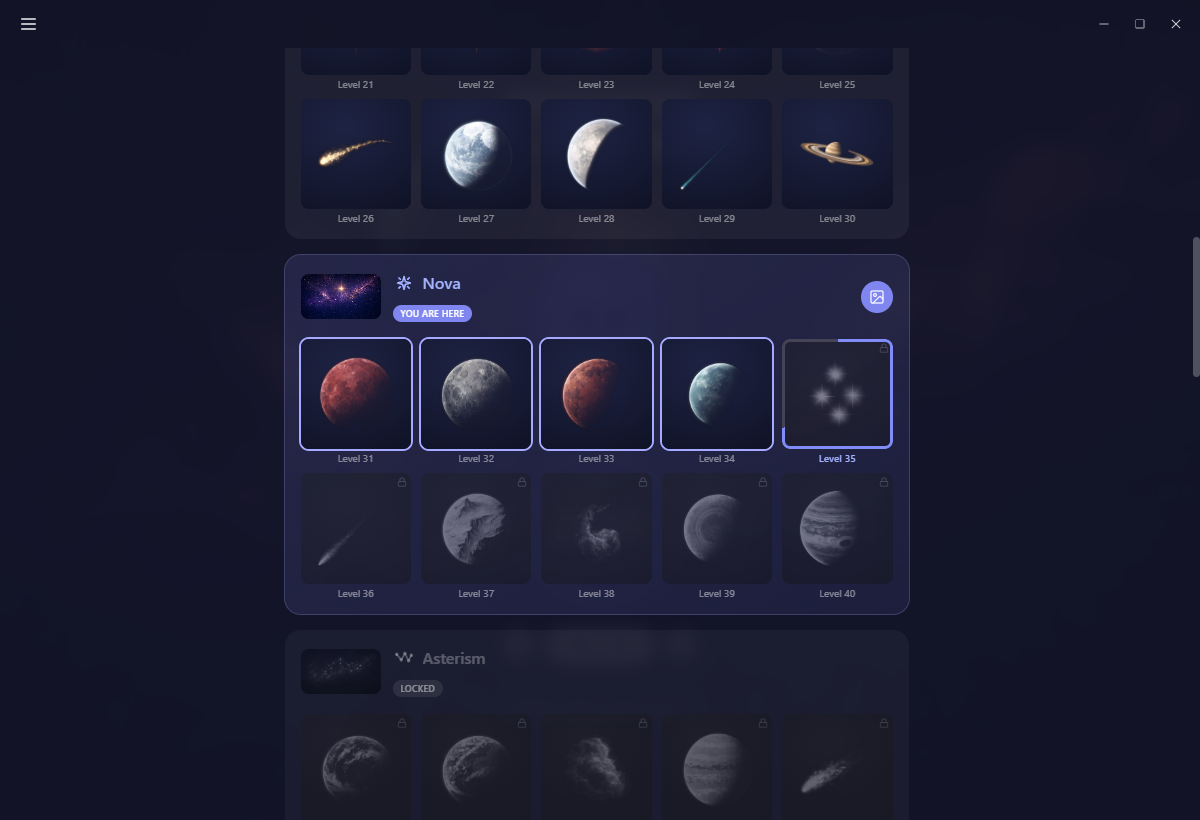
Once a title's sky is your background, each unlocked level on that title becomes a switch. They all start on, and clicking one hides that piece from your sky.
Two things about the switches surprise people:
- They only appear on the title whose sky you are actually wearing. The other sections stay a plain roadmap.
- Your picks are remembered per title and per device. They do not travel, so a sky you curated on your laptop starts with everything showing again on another machine.
All of it holds still if you turn on freeze background motion or if your system asks for reduced motion.
Crossing into a new title
Crossing from one title to the next raises a drawer from the bottom of the window with confetti and a line like You're now a Nova, and offers Use this background for the new sky. The sky behind Yappie cross-fades at the same moment.
It plays once per crossing, and it waits politely: never over a running focus session, never during first-run setup, and never stacked on top of another drawer.
Ordinary level-ups get a smaller card that shows the element you have unlocked, with Use this background and See it in your Journey.
Unlocks feed Bond
Every element you unlock grants Bond XP, and a level that opens a whole new title's sky is worth double. Reaching further into the Journey is rarer, so the deeper unlocks are worth a little more.
The Journey is the one part of growth you can look ahead at. Everything else on the Growth page is a record of what happened; this is the map of what is coming.
Finding the Journey
- Desktop: the title beside your pet's name, or Journey on the Growth page.
- Mobile: Progress, then Growth, then Journey.
- Web: the title on the Growth page opens a list of the eleven titles and where you stand in them.
Next: Growth for the levels themselves, and Backgrounds for the scenes that are not part of the Journey.
Last updated 21 de outubro de 2026