Friends & groups
Notifications
Your in-app inbox for requests, invites, reminders and cheers.
Notifications are your in-app inbox: one calm place where everything social gathers, so nothing important gets lost and nothing has to interrupt your focus.
Notifications support the social features, so they need a free, signed-in account and sync through the cloud across Desktop, Mobile and Web.
What arrives here
- Friend requests to accept or reject
- Cheers, and the replies to yours
- Co-focus invites and how they turned out
- Group invites
- Group achievements
- Weekly summaries
- Commitment and goal reminders
- Ownership changes, including a successor who is no longer available
- A warning that your self-reported focus is about to expire
Unread items sit under New, everything else under Earlier, and more pages in as you scroll.
Some are quick actions you handle on the spot. Others are updates to read when you have a moment.
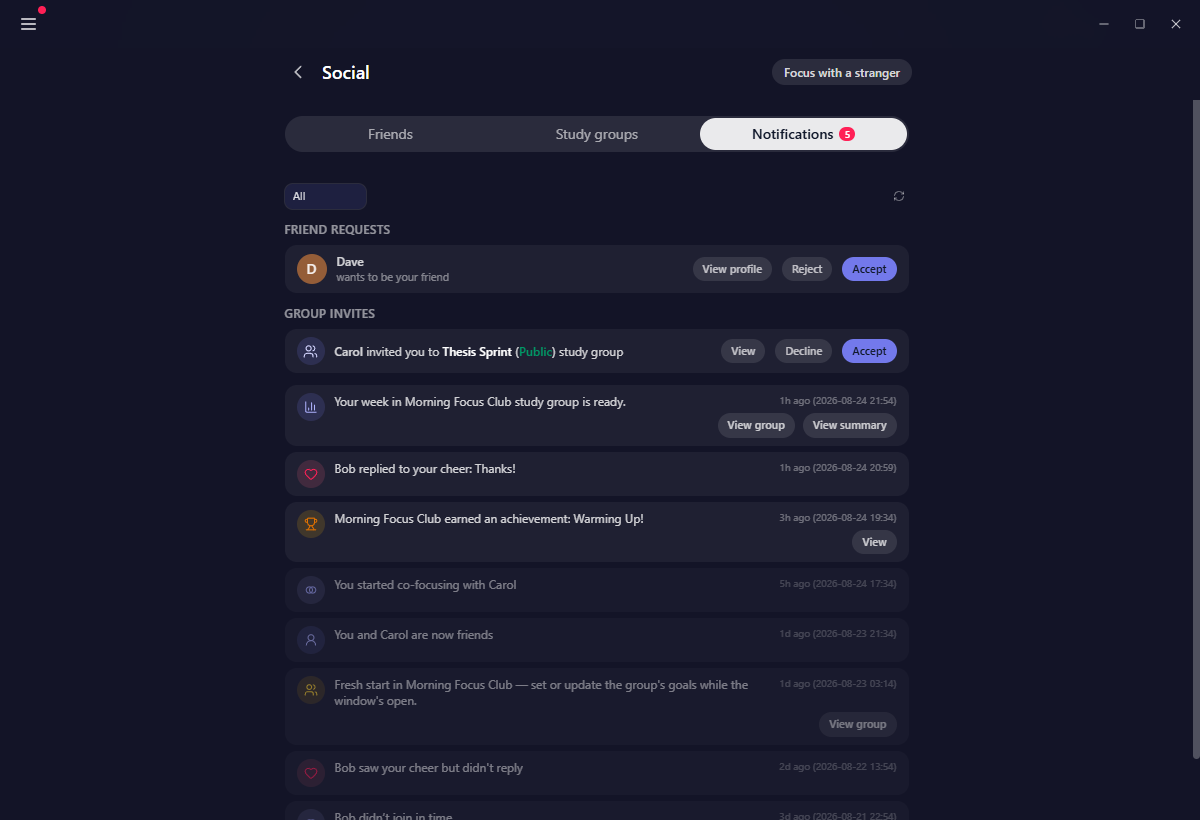
Friend requests live here
Requests do not appear on the Friends page. They arrive here, and they stay pending until you actually accept or reject one. Opening the tab clears the badge, but it does not answer anything for you.
Group invites
A group invite stays in the badge until you accept or decline it, so it cannot quietly scroll away. Before you decide you can open a read-only preview of the group: how many members it has, how many are online, and its daily goal. If the group has gone private since the invite was sent, the preview says so instead.
Self-reported focus about to expire
In a study group that runs on the honour system, the focus you have earned today can be given to the group, and it expires at the end of your day. The notification tells you how many minutes you have left to give and when they go, and More details opens a sheet listing the groups you can report to.
This one is worth acting on when you see it. Minutes you do not give expire, and Yappie will not invent them again tomorrow.
The weekly summary
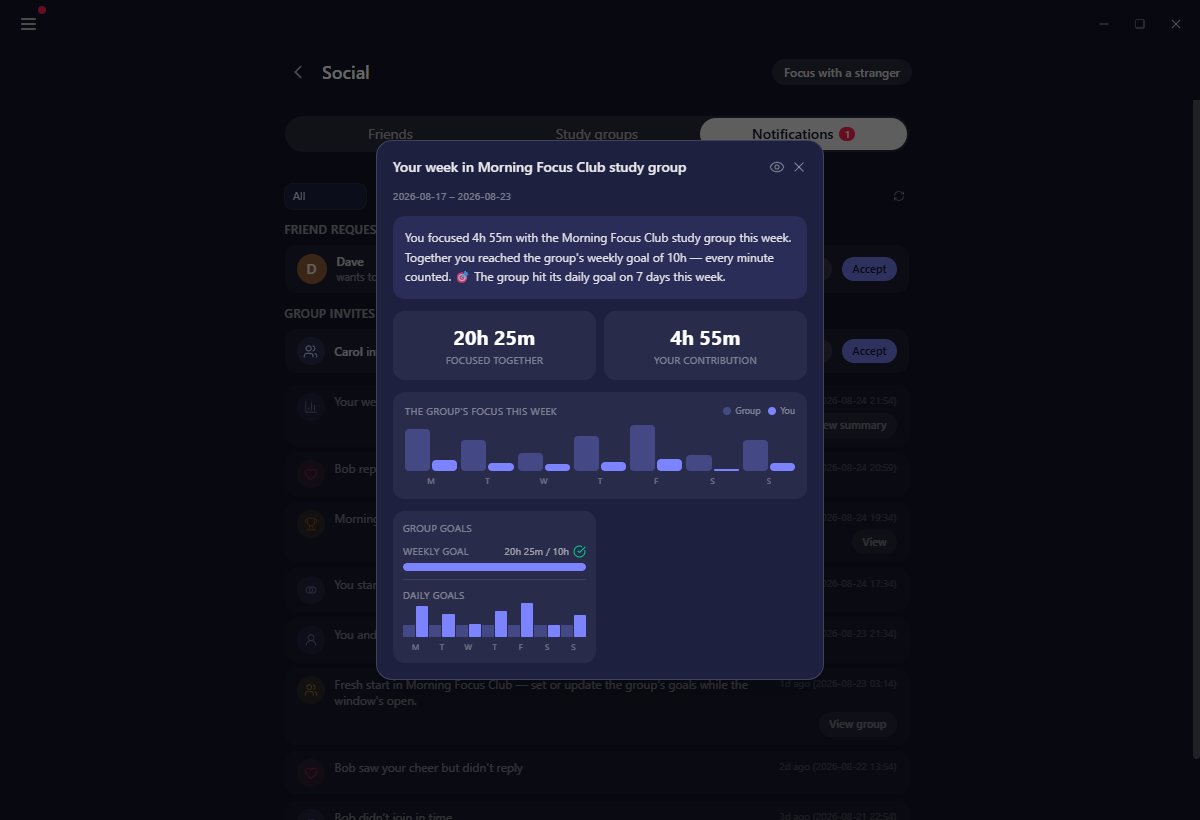
Each Monday's summary lands here, and View summary opens the full report for that group's week. Study groups lists what is inside it.
Filtering your inbox
When things pile up, the chips along the top narrow the list:
- All
- Cheers
- Co-focus
- Study groups
- Friends
Pick one to focus on it, then switch back to All.
The badge
You do not need to keep checking. The Notifications entry in the menu counts unread notifications, unseen cheers, unseen friend requests and pending group invites together, and the menu button itself carries a small red dot whenever anything is waiting. On Mobile and Web the badge sits on the tab.
Open the inbox to clear it, then go back to what you were doing.
Related
- Friends & co-focus is where an accepted request lands.
- Study groups explains the goals, commitments and summaries these reminders refer to.
- Cheers covers what a cheer is before you reply to one.
Last updated 21 жовтня 2026