Friends & groups
Focus with a stranger
Sit with whoever is waiting, for as long as you like, with nothing to say.
Some days the thing that gets you started is knowing somebody else is working too. Focus with a stranger puts you in a quiet room with another person who wants to focus right now: two pets, two timers, and nothing to say to each other.
In the app, the offer sits in the header of the Social page, beside the title, and needs you to be signed in. In a browser it runs at focus-with-a-stranger with no account and nothing installed. Signing in is what makes the time count toward your growth.
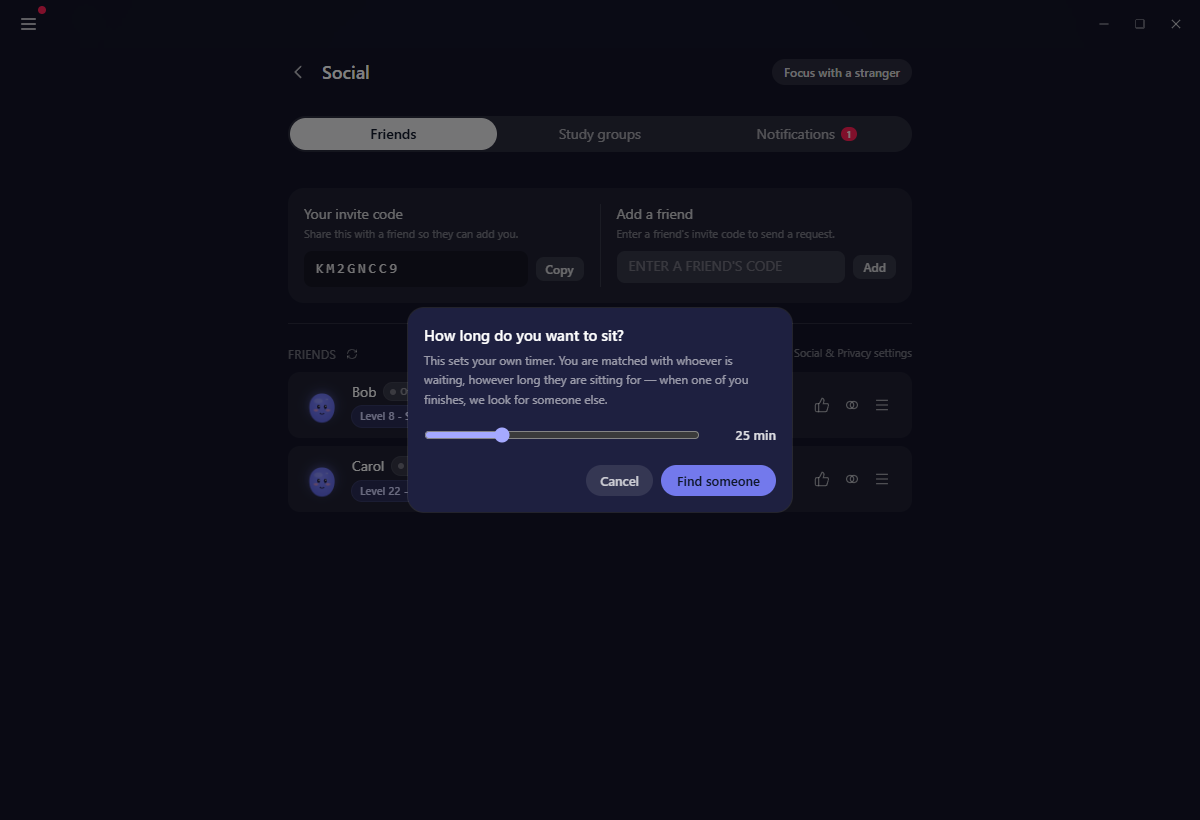
How long, and who with
Ask to sit and Yappie asks one question: how long do you want to sit? In the app that is a slider running the whole range the focus timer allows, up to 90 minutes, and it opens at your own usual focus length, because you have already answered that question once. In a browser you pick from a handful of set lengths instead.
You are matched with whoever is waiting, however long they asked to sit for. The queue is a queue: whoever has been waiting longest is served first. Two people who both wanted company should meet each other, and splitting the pool into length bands would only make everyone wait longer. A mismatch sorts itself out, because when one clock runs out the other person goes back to looking.
Press Find someone and the wait begins.
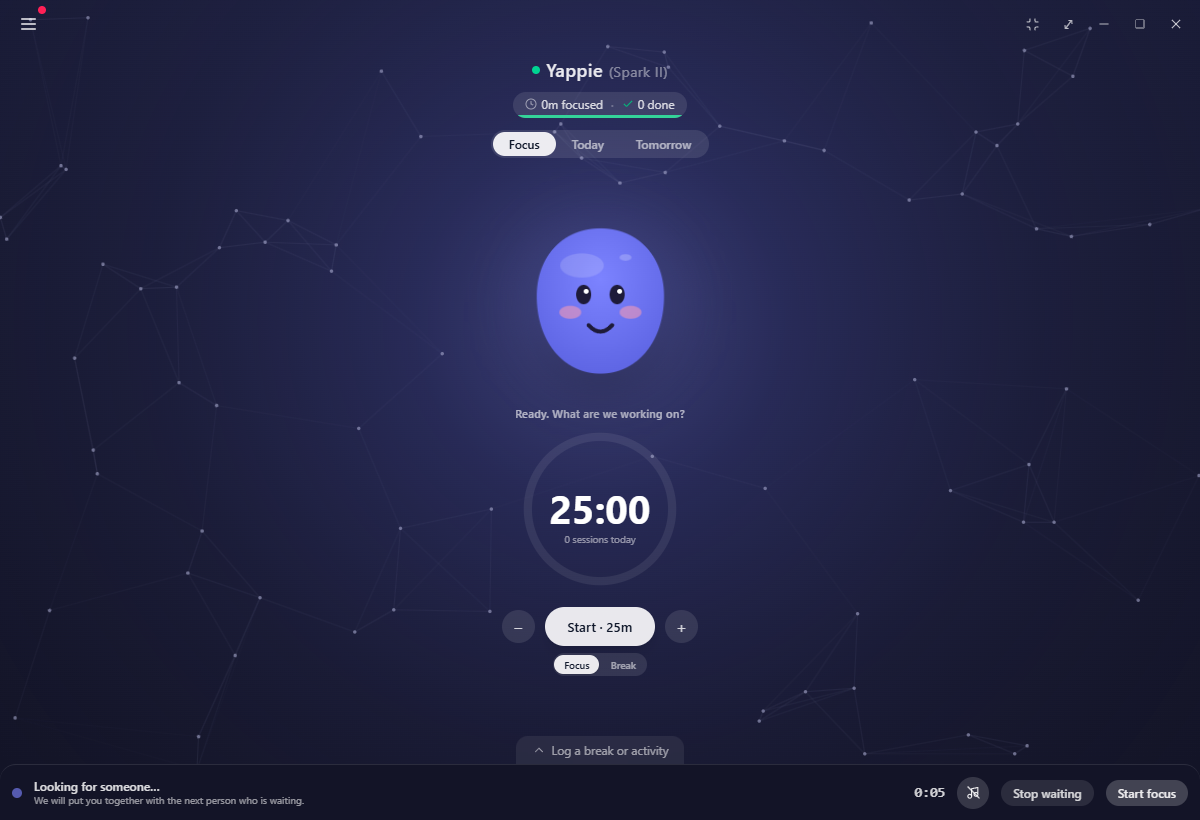
Waiting
A bar takes the bottom of the window: Looking for someone… with a clock counting how long it has been. Stop waiting gives your place back at once.
You do not have to sit there watching it. There is a Start focus button right on the waiting bar, and starting a session while you wait is entirely fine. When somebody turns up they join what you are already doing, with no dialog to answer. Once a timer is running the wait folds into the focus bar as a small chip rather than taking a row of its own.
You hold one place in the queue across all your devices. Asking again from a second device moves your place rather than giving you two.
Some days nobody turns up. Yappie says so rather than keeping you hanging.
When somebody arrives
You both get a small card: {name} is here, with Join and Not this one. Neither timer starts until you are both in. If they are already sitting, the card says so.
Once you are both there, the session looks like any other shared one: two pets on your Focus page, each with its own clock.
Two timers, not one
Each seat runs its own clock. Nobody can pause or reset yours, and you cannot touch theirs. That is also why this room has no pause button and no reset button, unlike the one you share with a friend.
Add time extends your own timer whenever you like. It also updates what the search is looking for, without costing you your place.
If the other person leaves
Your timer keeps running. Their leaving is not your problem to solve, and you do not lose the sitting you are in the middle of.
Yappie looks for somebody else in the background, and whoever turns up joins you for whatever is left. In the browser session that search is a switch: Finish alone stops it and changes nothing else, Find me someone else starts it again.
If their connection only blips, you see that they are reconnecting rather than gone. Their seat is held for a while before it counts as a departure.
What the other person sees
Your pet, the name on it, and your country. That is the whole list.
They never see your real name, your email, your photo, or anything you are working on. Signed in, what they see is whatever your privacy settings already show to people in public groups. It is the same setting, not a new one, and you can change it in Settings → Social at any time.
If you are not signed in, the name you typed is shown to you and to nobody else. Your partner sees a name Yappie picked for your pet instead. That is deliberate: a name typed in any script in the world cannot be checked well enough to put in front of a stranger, so it is not put there.
There is no chat
No messages, no video, no reactions, no emoji. It is not a thing left undone. A room where nobody can send anything stays safe without anyone having to police it, and it means you can leave whenever you like without it being awkward.
If somebody is unpleasant
The browser session carries a Report link, with a never match me with them again tick beside it. Between two signed-in accounts that exclusion is a real block and it holds. Without an account it is remembered in your browser, and clearing your browser data loses it. Yappie says so rather than pretending otherwise.
Two people who have already sat together are not put back together straight away either, so a Not this one is enough to move on.
On a day off
If you have told Yappie you are resting today, the dialog warns you before it does anything: sitting down with somebody marks today as a working day. The button reads "Yes, I'm working today", and choosing it makes the same account-wide decision that "Actually, I want to work" makes on the rest-day screen. Your declared time off is not withdrawn.
What you get out of it
Signed in, the time you and the other person were both actually present counts as shared focus, exactly as it does with a friend. Only the overlap counts. If they leave at minute two of a fifty-minute session, you are credited for the two you shared.
The offer is hidden while you are on a break, inside a study-group room, or already sitting with somebody. It stays available while you are focusing alone, because that is precisely when somebody turning up is welcome. There is a daily limit on how many people you can be matched with; if you reach it, Yappie tells you in plain words and asks you back tomorrow.
Related
- Friends & co-focus is the same idea with people you already know.
- The study room is the group version.
- What a rest day looks like explains what you are stepping out of when you sit down on a day off.
Last updated 21. Oktober 2026