Make it yours
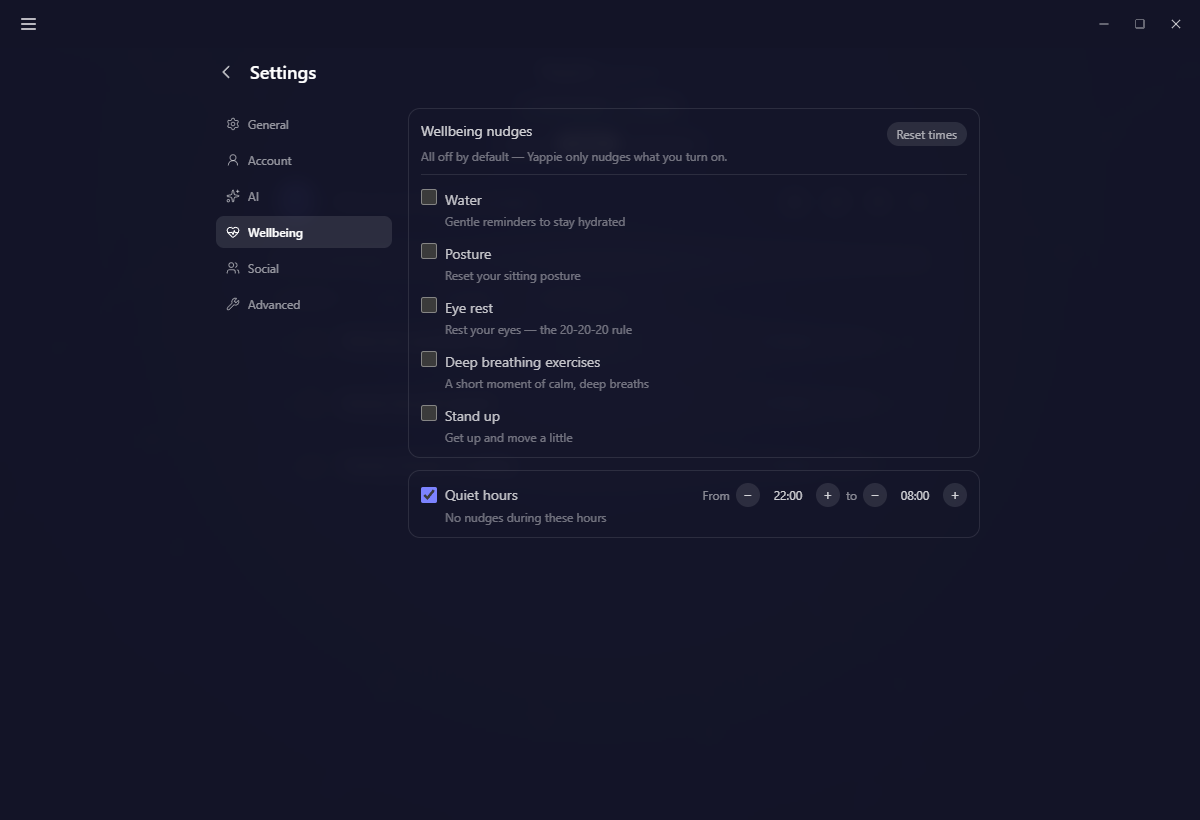
Wellbeing nudges
Five optional reminders, their real intervals, and when they stay quiet.
Wellbeing nudges are small reminders to look after yourself while you work. All five are off by default, so nothing interrupts you until you ask it to.
The five nudges
- Water: a reminder to drink. Default every 60 minutes.
- Posture: roll your shoulders back and sit up. Every 50 minutes.
- Eye rest: the 20-20-20 rule. Every 20 minutes.
- Deep breathing exercises: a few slow breaths. Every 90 minutes.
- Stand up: get up and move a little. Every 45 minutes.
Each interval is yours to change with the ± buttons, which repeat if you hold them. Reset times puts every interval back to its default without touching which nudges you have switched on.
Set them up
Desktop and Web
- Open Settings → Wellbeing.
- Turn on the nudges you want and set their intervals.
- Set quiet hours.
Mobile
- Open Wellbeing from the You tab.
- Toggle the nudges and set intervals.
- Set quiet hours.
Quiet hours are on by default, 22:00 to 08:00, and move in half-hour steps. Nothing fires inside that window.
The first-run setup offers this same list, and pre-ticks anything your account already has turned on.
How a nudge arrives
A small thought cloud appears over your pet with the reminder and two buttons.
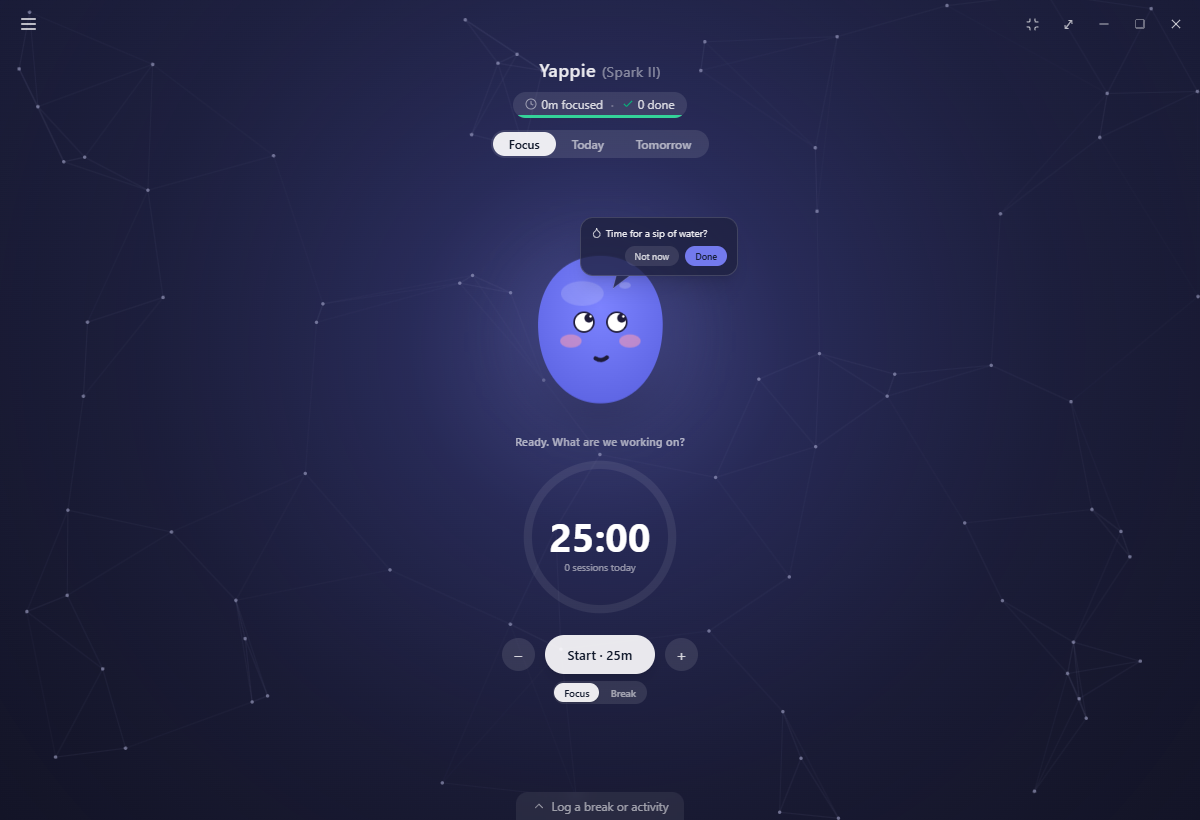
- Done: you took care of it. Your pet gives a short warm flash, and the moment is recorded.
- Not now: dismissed, no hard feelings. Water is the one that changes tack when you decline: its next message is a slightly different angle on the same idea, four in all.
If the Yappie window isn't the one you're looking at, the nudge also arrives as a desktop notification. If it is, the bubble is enough and no notification is sent.
Leave the bubble alone and it clears itself after about a minute and a half. Ignore three in a row without answering and that nudge doubles its interval until you answer one. Yappie takes the hint rather than nagging harder.
When they stay quiet
The rules here matter more than the intervals, because they are what keeps nudges from being an interruption:
- Never during a focus session, running or paused. A nudge that comes due waits in line and shows up once you stop. Breaks are fair game.
- Never in the moment a session ends. There's a short pause first, so you aren't pounced on the second you finish.
- Never on a rest day. A day off means a day off.
- Never during quiet hours.
- Never over something else, like a celebration, another bubble, or an open page. One thing at a time, and only one nudge is ever waiting per kind.
- Never as a backlog. If your machine slept through three hours of reminders, the clock restarts instead of firing them all at once.
Answering a nudge with Done places a star in My sky for that day. There is a ceiling: each kind can claim at most one, two or three points depending on how hard that day's shape is, so a sky can never be filled on reminders alone.
Next: My sky for what those stars build, and Yappie's energy for the meter a real break actually refills.
Last updated 21 अक्टूबर 2026