Focus & tasks
Tomorrow
Plan ahead without the pressure of doing it now.
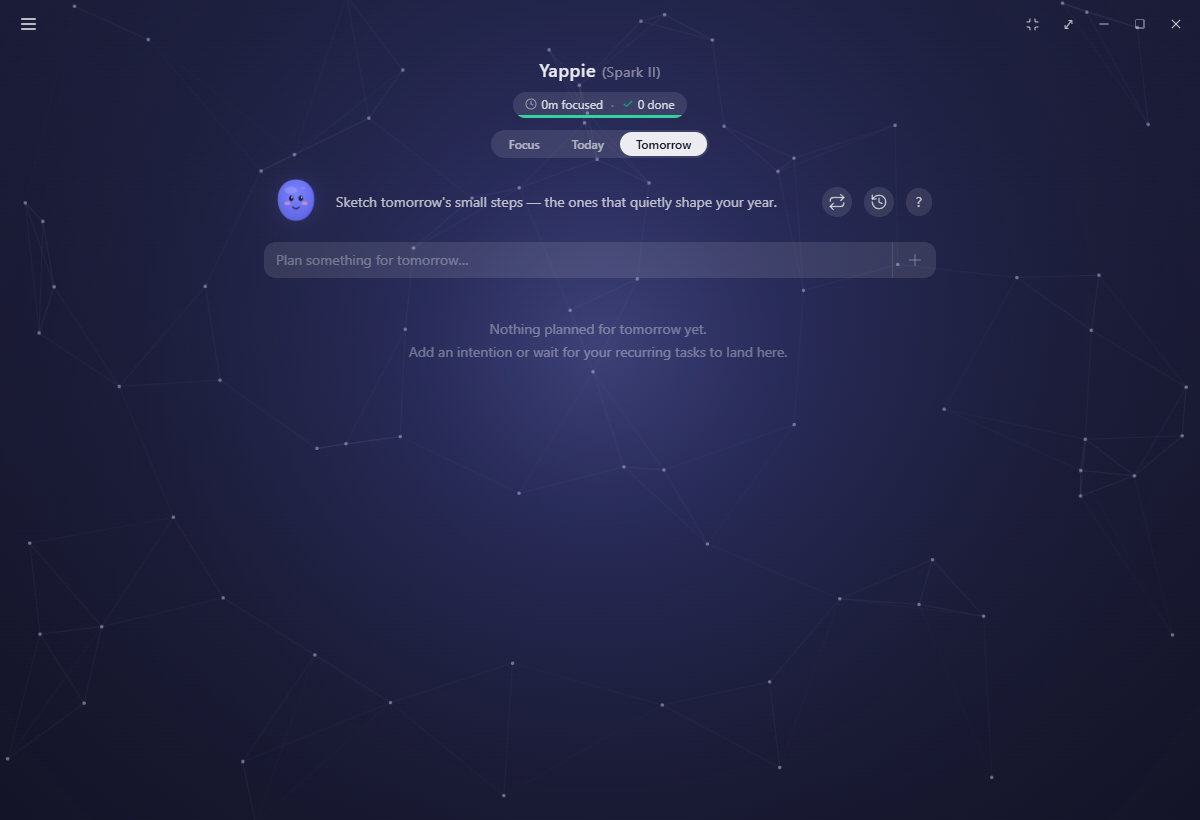
Tomorrow is a quiet place to put things down without committing to them yet. It mirrors Today, "Sketch tomorrow's small steps, the ones that quietly shape your year", so you can lay out what is next without disturbing what you are doing now.
A forward-looking mirror
Everything you can do on Today, you can do here: add intentions, break them into steps, set minutes, priorities, colours, tags and a project, and reorder them by dragging. When the day turns over, they become today's list.
Two things wait for the day to arrive:
- Checkboxes are disabled, with a tooltip saying so. Ticking tomorrow's work today would credit a session that has not happened.
- There is no ▶. You can plan how long something should take, but you start the timer on the day.
Recurring previews
Anything your recurring tasks will drop in tomorrow appears here already, drawn with a dashed outline. It is a preview, so it is read-only: the row shows the priority, the colour and the clock time it will arrive at, and a hint points you to the Recurring tasks page to change any of it.
New recurring tasks and edits to existing ones take effect from tomorrow rather than today, so this tab is where you see them first.
Moving between the lists
Two actions shuttle work back and forth:
- Move to Today on a Tomorrow row pulls it into the live list.
- Move to Tomorrow in a Today card's ⋮ menu defers it.
Both grey out with a tooltip when the day you are moving to is time off. Yappie will not stack work onto a day you have said you are resting.
When tomorrow is a day off
If tomorrow is already marked off, this tab opens calm rather than opening onto a list. A relaxed Yappie, "Tomorrow you're off. Enjoy it!", and one button: Show the list anyway.
Press it and the greeting changes to whichever line is actually true. Your recurring tasks are taking the day off too, or you planned these yourself so they will keep until you are back, or nothing is planned and nothing needs to be. With nothing behind the button at all, it offers to let you Plan something anyway instead.

On mobile
Adding a task while you are on the Tomorrow segment stamps it for tomorrow automatically, so anything you jot down while planning ahead lands on the right day.
Related
- Today is the same list, live.
- Recurring tasks is where the dashed previews come from.
- Taking time off explains how a day gets marked off in the first place.
Last updated October 21, 2026