Rest & time off
What a rest day looks like
On a day you've declared off, the whole app steps back — here's exactly what changes.
On a day you have told Yappie you are resting, the app steps back. Not a little: the timer, the task lists, the reminders and the pressure all get out of the way, and what is left is your pet and a warm sentence. This page is the full list of what changes, so the other pages can point here rather than half-explaining it.
A rest day is any day covered by your weekly rhythm or by a one-off leave. Setting them up is covered in taking time off.
The Focus tab
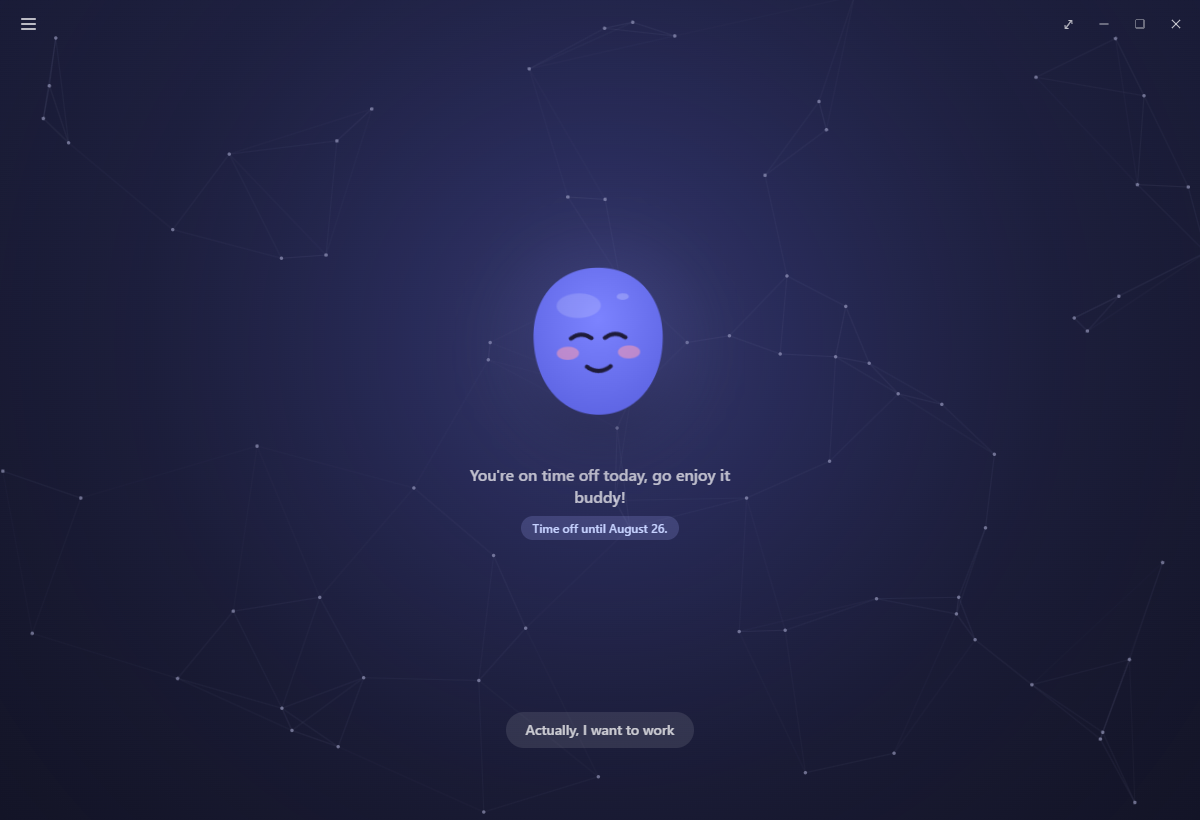
Yappie sits alone in the middle of a calm screen with "You're on time off today, go enjoy it buddy!" underneath, a small chip naming which kind of break it is, and one button: Actually, I want to work.
The chip reads Regular day off for a standing weekly day, or Time off until the last day of a leave, or Time off until you're back for an open-ended one.
Everything else on that screen goes quiet. The row with your pet's name, the stats badge and the Focus / Today / Tomorrow tabs is hidden. So are the timer, its controls, the Log a break or activity drawer and the minimalist-mode toggle. Yappie wears its relaxed face and stops digging out keepsakes to show you.
Your tasks
Today's tasks is greyed out in the Menu, and Tomorrow's tasks is greyed too when tomorrow is also off.
Recurring tasks take the day off with you. Nothing recurring is created on a rest day. During a longer leave they are set aside altogether and wait in the Archived section of Recurring tasks until you come back, and they are brought back for you when it ends.
If tomorrow is a rest day, the Tomorrow tab opens calm as well, with one button to show the list anyway. Tomorrow covers that panel and what it tells you once you open it.
A few actions dim, each with a tooltip saying today is time off and to enjoy your rest: Move to Today and Move to Tomorrow in a task's ⋮ menu, the + that copies a past task into today on History, and Add to today now on a recurring task.
Unsorted focus left over from yesterday stays usable, and drops its countdown while you rest, so sorting it never feels like a race.
Away from the window
The tray menu folds its timer controls down to the single Actually, I want to work entry, and so does the control bar on the popped-out companion.
Wellbeing nudges stay silent for the day. The daily A look back recap does not appear. The notice telling you yesterday's tasks moved to History waits until you are working again. Once a day Yappie floats a small thought cloud saying your streak is safe with it, with Thanks and Don't show these, and the second one turns it off for good.
Growth, charts and groups
Your streak keeps counting: a declared rest day pumps it exactly as a focused day would, and spends no streak freeze. If a freeze had already been spent bridging a day you then declare off, the freeze is handed back to you.
On Charts, a rested day is tinted on the focus heatmap instead of being blank, and a period where every day was rest draws a calm light blue bar at your usual level for that view rather than a gap, with a small legend so the bar is never mistaken for real focus.
In a study group, you show as a calm Resting pill: set aside from the leaderboard, with the group's goal scaled down so your rest never raises the bar for everyone else, and safe from being removed while you rest. Study groups covers the rest of it, including what happens when the owner is the one who is away.
What turns a rest day back into a work day
Rest is something you declare; doing things outranks the declaration. A day flips to an ordinary work day the moment anything real lands on it: a focus session, a task ticked off with time on it, a logged walk or workout, logged social time, or sitting down to focus with a stranger. The Focus with a stranger dialog warns you about this before you start.
A logged break is the exception. Yappie does not count a coffee as work, so a break never costs you the rest day.
When a rest day flips to a work day, it stops being protected, and it needs the fifteen minutes of focus any other day needs to count toward your streak. A streak freeze covers it if you fall short.
Related
- Taking time off is where rest days are set up.
- Coming back covers Actually, I want to work and ending a leave early.
- Streaks & streak freezes explains the threshold and the freezes.
Last updated 21 de octubre de 2026