Make it yours
The AI companion
Optional AI: off, your own key, or hosted by Yappie.
AI is optional. Yappie works completely without it, and it is off by default. Every task, session, streak and chart in this guide works with the AI switched off. Turn it on if you want Yappie to help break a task into steps, say something encouraging now and then, or notice things you like.
Three ways to connect
Everything lives under Settings → AI. A "?" beside the modes explains them in plain language, and Test connection tells you exactly what happened rather than only failing.
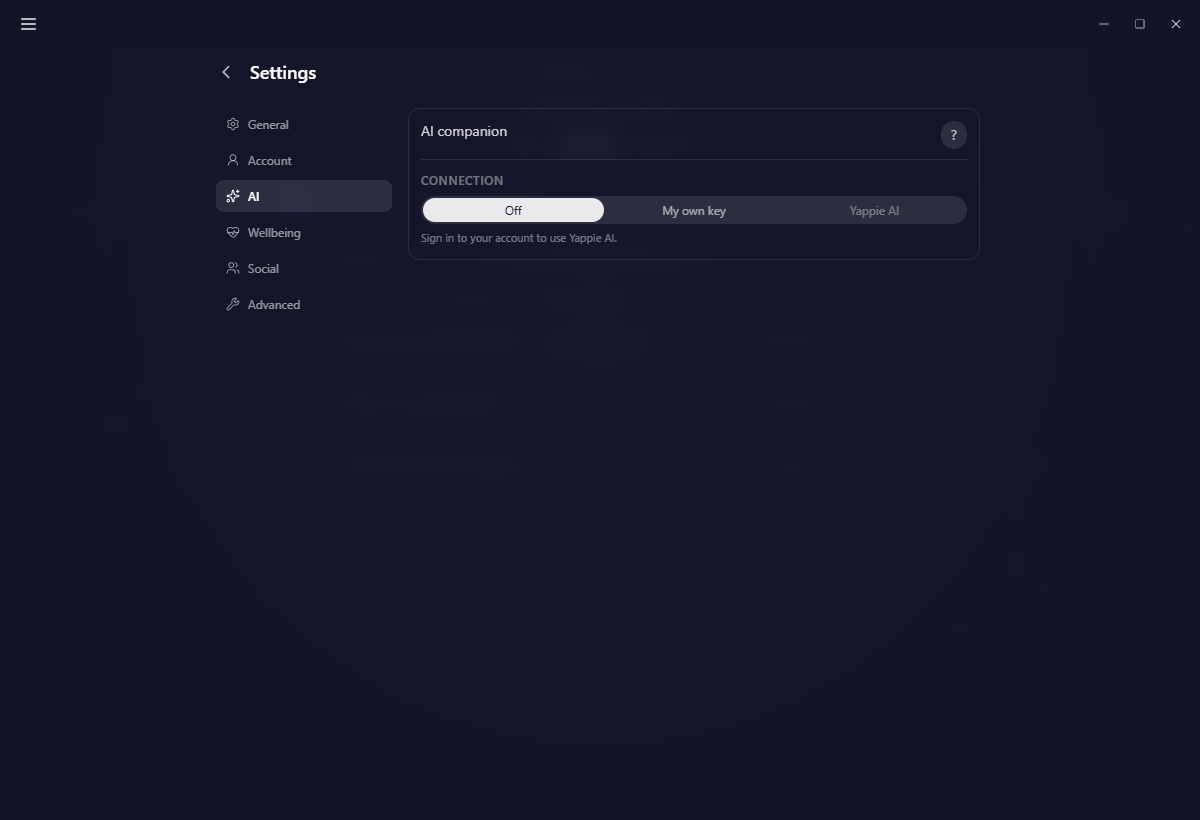
Off: no AI at all. The default.
My own key: bring your own account with Claude, OpenAI or a local Ollama server. Your key lives in your operating system's keychain. It never syncs and it never reaches Yappie's servers: calls go straight from your device to the provider you chose. There is also a per-device Max calls per day safety rail so a stuck loop cannot burn through your credit. It defaults to 50, can be set anywhere from 1 to 10,000, and shows an estimate of the tokens that works out to.
Yappie AI: hosted, no keys, needs a Yappie account. A daily allowance applies:
- Free: 3 calls a day, and on the free plan that allowance is step suggestions, because encouragement, the daily reflection and the Charts summary are paid features. The line under the quota spells it out: five AI actions a day, three of them for step suggestions and the rest for fun touches.
- Lite: 20 a day.
- Super: 50 a day.
The mode you pick is device-local. Your key, your provider, your model and your daily cap never sync, so you can run Yappie AI on your laptop and a local Ollama on your desktop.
What it may do
Four switches decide what AI is allowed to touch. Turn on only what you want.
- Suggesting steps: when you press Suggest steps on a task, it proposes subtask titles. Two sub-options sit underneath, both off by default: also suggest a focus length, which pre-fills each step's timer, and also suggest tags, which reuses your existing tags where they fit and adds any new ones to your tag list.
- Encouragement: a short line from Yappie at the start or end of a session.
- Daily reflection: a two- or three-sentence recap of the day with one gentle suggestion.
- Daily Charts summary: a once-a-day read of your progress at the top of Charts, generated only when there is enough data to say anything.
Personality and fun touches
Personality sets the voice: Cheerful, Chill, Coach, Deadpan, or a custom one-sentence description of the vibe you want.
Fun touches are the small playful asides Yappie drops in: a nod to something you like, never advice. They draw on 30 interest categories plus anything you type in yourself, and they are capped per day so they stay a treat: 2 on Free, 10 on Lite, 24 on Super, with a wait between them of an hour on Free and Lite and half an hour on Super. On your own key you set the number yourself, anywhere from 1 to 48.
Your personality, your feature switches, your interests and your fun-touch settings ride your account when you are signed in with sync on, so every device agrees on them. Your key, your provider and your daily cap never do.
Memory
Memory carries a short summary of your rhythm and common topics into each prompt, so Yappie is not meeting you fresh every time. You can read what it holds, add a note of your own, and turn memory off without losing that note. It comes back the moment you turn it on again. A separate switch decides whether the note syncs across your devices.
One device at a time
Only your active device makes the ambient AI calls (encouragement, reflections, fun touches), so two machines never spend your quota on the same day twice. A small dot beside your pet's name says which one it is, and doing anything on this device claims it: add a task, change a setting, start a session.
Helping it improve
At the bottom sits an opt-in: share feedback on how good the step suggestions were. It is available on your own key too, and it is anonymous if you have no account. Off unless you turn it on.
Next: Playing with Yappie for the keepsakes those interests also feed, and Plans for what each plan includes.
Last updated 21 ottobre 2026