November 13, 2026
The best Pomodoro apps in 2026, sorted by what you need
All Pomodoro apps run the same 25-minute idea, so the choice is about where you work, whether tasks live in the timer, and what you get for staying put. Nine compared, checked on each app's own site in November 2026. We make one, and list it last.
Nesta página
We make Yappie, one of the apps below, so we list it last, and you should weigh what we say about it, and about the apps around it, with that in mind. The short version: all of these run the same idea, work for 25 minutes, rest for five, and repeat. So there is no single best Pomodoro app. The useful questions are where you work, whether you want your task list in the same place, and whether you want something extra for staying put. Every plan and platform below is as each app's own website listed it on 7 November 2026.
Here are all nine in one table, in the order this post covers them; each is explained further below.
| App | Kind of tool | How it works | Where it runs | Free way in |
|---|---|---|---|---|
| Pomofocus | Web timer | Opens in a browser, nothing to install | Any browser, plus Mac, Windows and Linux downloads | Free, with ads |
| Focus To-Do | Timer plus tasks | A Pomodoro timer joined to a task list | Android, iPhone, iPad, Apple Watch, Mac, Windows, Chrome | Not stated on its site |
| Focus Keeper | Timer plus history | A 25-minute timer with tasks and session charts | iOS, Android, web | Sign-up is free; limits not stated |
| Be Focused | Timer plus tasks | Work intervals, breaks and a daily target | iPhone, iPad, Mac, Apple Watch | Not stated on its site |
| Session | Timer | A short review after each session | Mac, iPhone, iPad | Free plan, two days of analytics |
| Forest | Timer with a reward | A tree grows while you focus | iPhone, iPad, Android, browser extensions | Free, with ads outside sessions |
| Flora | Timer with a reward | A tree grows, with friends if you like | iPhone, Android | Free, no paid version |
| Tide | Timer with sound | Nature sounds under a Pomodoro timer | iPhone, iPad, Android, HarmonyOS, Chrome | Not stated on its site |
| Yappie | Timer plus steps, with a pet | Small steps, a pet beside the timer, rest that keeps your streak | Windows, Mac; phone apps not in stores yet | Free plan includes all of it |
The simplest free timer
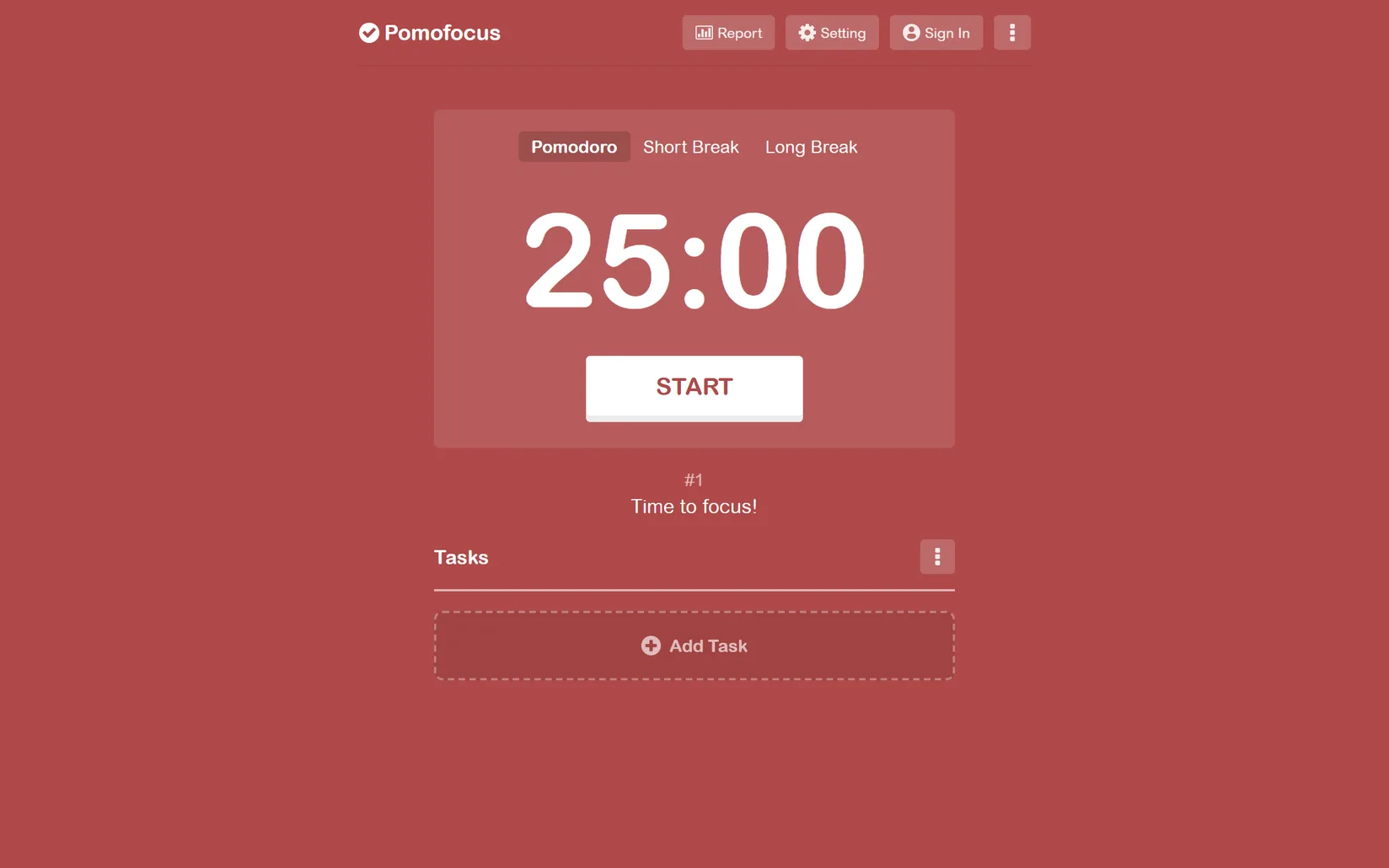
Pomofocus is a timer that opens in any browser with nothing to install: three tabs for Pomodoro, short break and long break, and a task list below (pomofocus.io). As of November 2026 the free version covers tasks with finish-time estimates, reports of your focus time, and your own session lengths and sounds; the site lists "No Ads" as a Premium feature and loads Google's ad script, so expect ads on the free one. Premium also adds projects, yearly reports, CSV export and Todoist and webhook links. It has Mac, Windows and Linux downloads too; its site lists no phone app, and on a phone it runs in the browser. Where it fits: you want a timer running in the next ten seconds, on any computer.
A timer with your tasks beside it
Focus To-Do joins a Pomodoro timer to a task list with due dates, reminders, subtasks and repeating tasks, with reports by day, week and month, synced between devices (focustodo.cn). It has the longest platform list here: Android, iPhone, iPad, Apple Watch, Mac, Windows and a Chrome extension. As of November 2026 its site does not say what is free and what is paid, and publishes no price. Where it fits: you want the same timer and the same list on your phone and your computer.
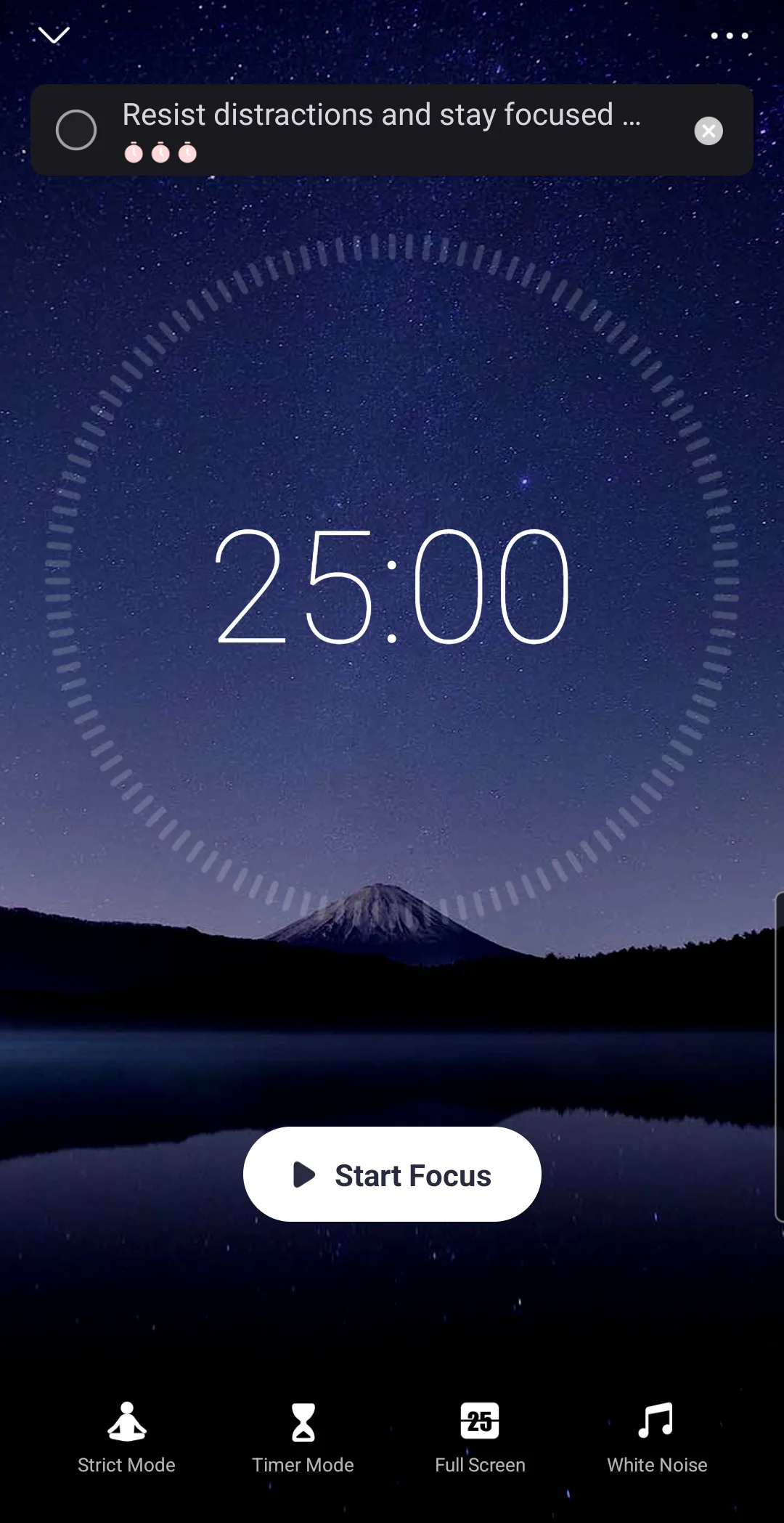
Focus Keeper is a phone and web timer that keeps your tasks, logs your sessions for you and shows them as charts, so you can see when you work best (focuskeeper.co). Its page shows the classic 25-minute focus session with short and long breaks and a counter towards four sessions. As of November 2026 sign-up is free, and the site names no paid plan and no limits. Where it fits: you care more about the history than the to-do list.
If you live in Apple's world
Be Focused times your tasks in work intervals with short breaks between them, and you set the lengths, a daily target and how many intervals come before a long break (xwavesoft.com). It runs on iPhone, iPad, Mac and Apple Watch. The phone and Mac versions are sold separately, syncing between them needs Be Focused Pro on both, and the site publishes no price. Where it fits: you want a plain, configurable timer across your Apple devices, including the watch.
Session is a Pomodoro timer for Mac, iPhone and iPad that asks you to state your focus first, then asks after each session what you learned and whether you got distracted (stayinsession.com). As of November 2026 the free plan gives unlimited sessions with two days of analytics; Pro is $4.99 a month or $39.99 a year, slightly different by region, it notes, with a 7-day trial. Custom session lengths, sync between devices and app and website blocking are Pro features, and the blocking works on the Mac only. For Windows or Android it says only that it may come "if there's enough demand". Where it fits: you use a Mac and want the short review built into the habit.
A reward for staying put
Forest plants a virtual tree when you start a timer; the tree grows while you focus and, in its own words, "Open another app, and the tree dies" (forestapp.cc). As of November 2026 the timer, the tree and its Deep Focus app blocker are free, with occasional ads Forest says never run during a session; Plus removes the ads, at a price that varies by region and platform. It has no Windows or Mac app, only Chrome and Firefox extensions. Where it fits: a reason to leave your phone alone, with a free blocker behind it. Its alternatives are in Forest alternatives in 2026.
Flora grows a tree too, and plants one together with friends if you add them (flora.appfinca.com). As of November 2026 it is free, and its FAQ says there is no paid version; it also offers opt-in services that plant real trees. One catch it states itself: it does not store your stats on its servers, so you lose them if you reinstall the app, while your garden and to-dos are kept in the cloud. Where it fits: a free tree timer, when you do not mind your stats living only on the phone.
Tide puts nature sounds under a Pomodoro timer, as part of a wider relaxation app for sleep, focus and meditation (tide.fm). Its site, in English and Chinese, lists iPhone, iPad, Android, HarmonyOS and Chrome, and does not say whether it is free or what it costs. Where it fits: the sound is the reward, and you would rather hear rain than watch a tree.
For the wider field, including blockers and co-working, see the best focus apps in 2026. If you wonder whether the 25-minute rhythm itself is worth it, we went through one study in The Pomodoro study.
How to choose
- Start with the screen you work on. Phone only points to Forest or Flora; Mac and iPhone point to Session or Be Focused; everything at once points to Focus To-Do.
- Decide whether tasks live in the timer. If your list already lives in a to-do app, check whether that app has a timer built in; if not, a plain timer such as Pomofocus or Session sits beside it. If you have no list yet, take one with a list.
- Check what the free version leaves out. Pomofocus carries ads, Session keeps custom lengths for Pro and free analytics to two days, Be Focused needs its Pro edition on both phone and Mac to sync, and several sites publish no limits at all.
- Ask what you need while the timer runs. A reward (Forest, Flora), a sound (Tide), or nothing (Pomofocus).
- Do not pay first. Most of these let you try a timer for free. Use one for a week.
- Read the price page yourself. Prices change, and some vary by region.
Yappie, which we make
Yappie is a Pomodoro-style timer built around two things: getting started, and resting without losing your streak. It has a timer and a task list, as several apps here do. Tasks break into small steps, by hand or with optional AI help, and a virtual pet sits beside your timer. Rest is part of the design: set days off and Yappie stops nudging while your streak holds. When you want company there are friends, 1-on-1 co-focus, study groups and focus with a stranger, with nobody on camera (myyappie.app/focus-with-a-stranger).
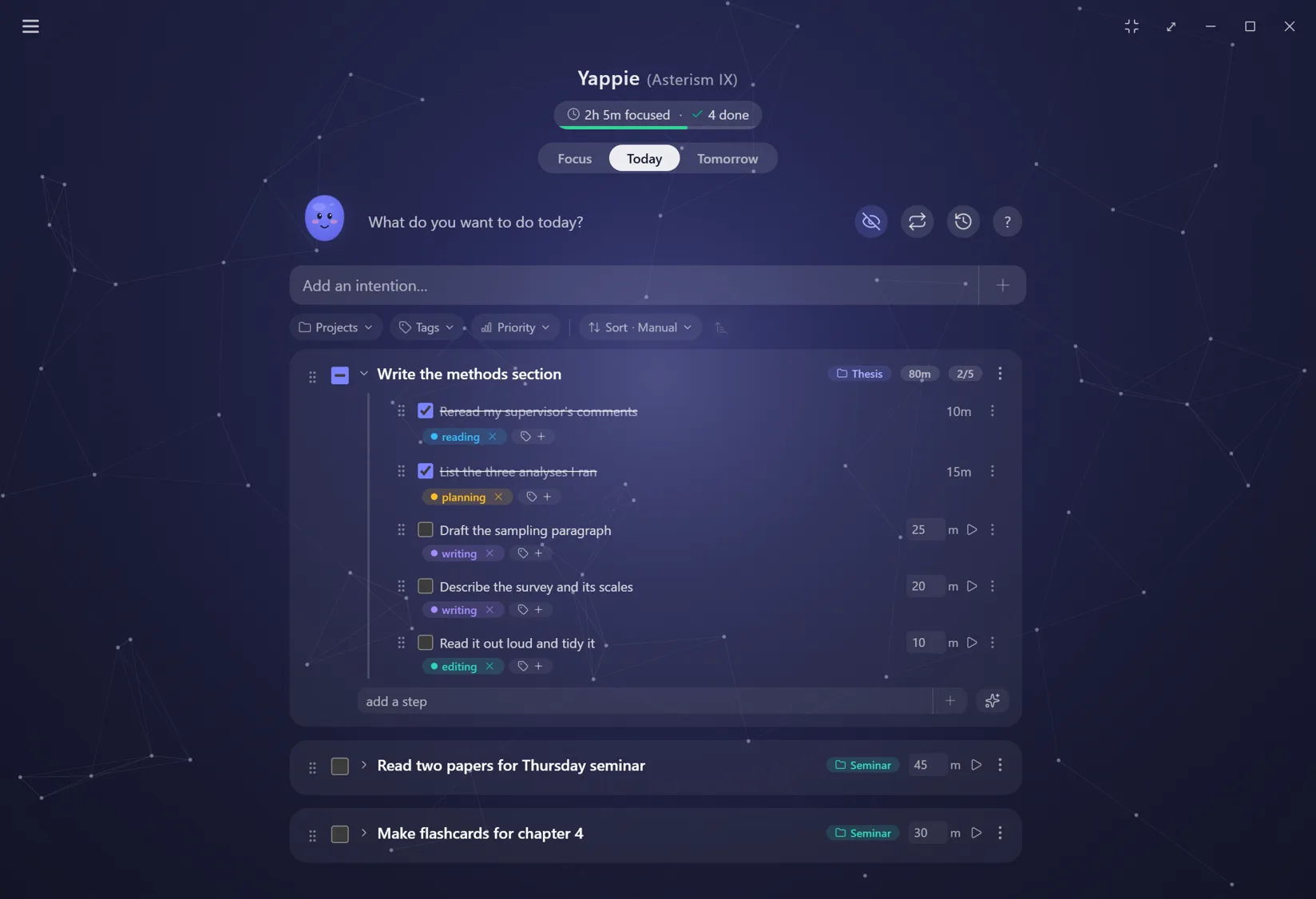
The free plan has the timer, tasks with steps, history, charts, friends, body doubling, time off and streak freezes, with no card and no account needed to try it (myyappie.app/pricing). Lite and Super add cosmetics, more content and larger AI allowances, and the page says all the productivity features will always be free. The app runs on Windows and Mac (myyappie.app/download); in a browser, its free Pomodoro timer page and focus with a stranger work with no account (myyappie.app/pomodoro-timer). Two catches: it blocks no apps or websites, so it pairs with a blocker, and its phone apps are built but not yet in any app store. We set it against Forest directly in Yappie vs Forest. Where it fits: you start slowly, or work alone, and want the steps, the timer and some company in one place.
References
- Pomofocus, home and commerce page: pomofocus.io, pomofocus.io/commerce. Accessed 7 November 2026.↩
- Focus To-Do, official site: focustodo.cn. Accessed 7 November 2026.↩
- Focus Keeper, official site: focuskeeper.co. Accessed 7 November 2026.↩
- Be Focused, maker's site and product page: xwavesoft.com, Be Focused Pro. Accessed 7 November 2026.↩
- Session, home page and pricing: stayinsession.com, stayinsession.com/pricing. Accessed 7 November 2026.↩
- Forest, official site: forestapp.cc. Accessed 7 November 2026.↩
- Flora, home and FAQ: flora.appfinca.com, flora.appfinca.com/faq. Accessed 7 November 2026.↩
- Tide, official site in English: tide.fm/en_US. Accessed 7 November 2026.↩
- Yappie, focus with a stranger: myyappie.app/focus-with-a-stranger. Accessed 7 November 2026.↩
- Yappie, plans and pricing: myyappie.app/pricing. Accessed 7 November 2026.↩
- Yappie, downloads and platforms: myyappie.app/download. Accessed 7 November 2026.↩
- Yappie, free Pomodoro timer in the browser: myyappie.app/pomodoro-timer. Accessed 7 November 2026.↩